Class boards, interactive panels and attendance terminals for schools
Schools and universities use interactive flat panels in classrooms, digital class boards outside each room, attendance kiosks and face-recognition gates at the entrance, and outdoor screens for campus notices. DisplaySourcing has shipped class-board software since 2017 and supplies the hardware and the attendance system together, for kindergartens, schools, universities and training centers.
What schools, universities & training need from the hardware
- Attendance by face or card, fed into the school management system
- Writing and screen casting in class, with whiteboard software
- Timetables, notices and videos managed centrally by the school office
- Durable, child-safe hardware: tempered glass and steel housings
- Scheduled power on/off that follows the school day and holidays
Recommended products
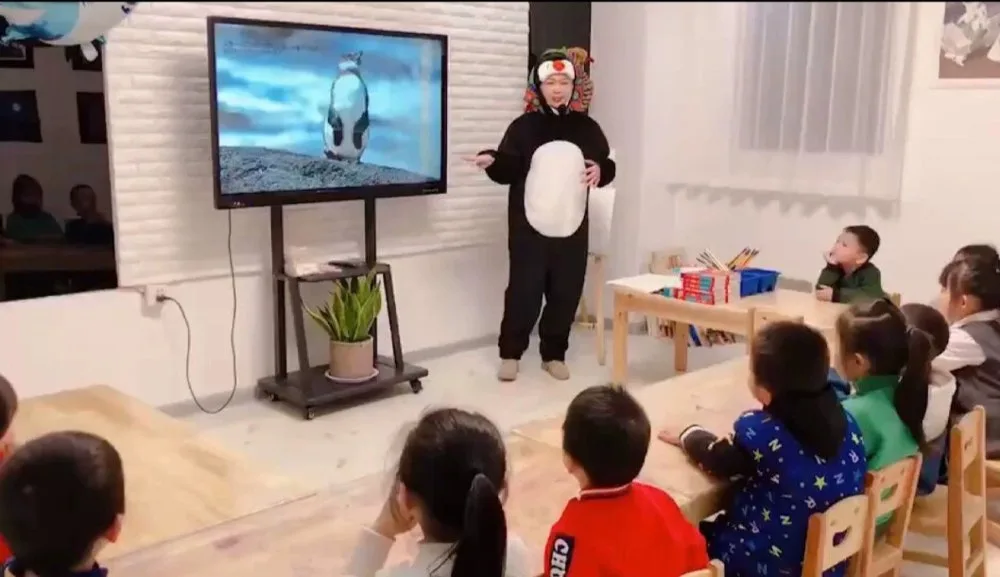
Teaching interactive panel
55″–86″ teaching panel with electronic whiteboard software, finger or stylus writing and an Android + Windows dual system. It plays video and documents and browses the web; wall or trolley mount.
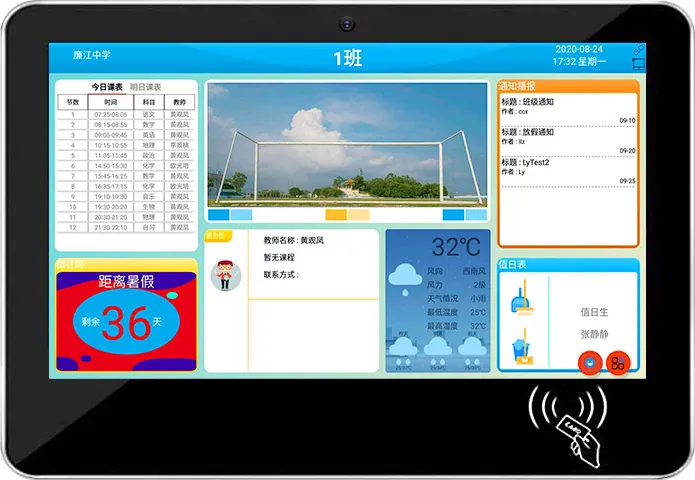
21.5″ digital class board
21.5″ class board outside each classroom: face and card attendance, a built-in calling module for parents, class and timetable information, and campus videos and notices.
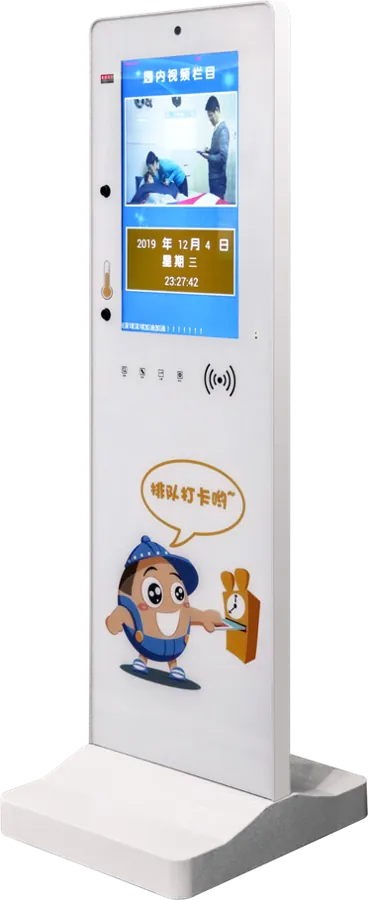
Standing campus attendance kiosk
Floor-standing 21.5″ attendance kiosk for the school gate, with face recognition, IC/ID cards and infrared temperature sensing; size, color and cartoon artwork made to order.
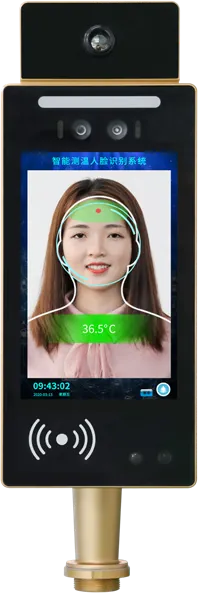
8″ face recognition terminal
8″ face terminal for gate turnstiles: 0.34 s recognition, binocular infrared liveness and 11,000 faces stored on the device.
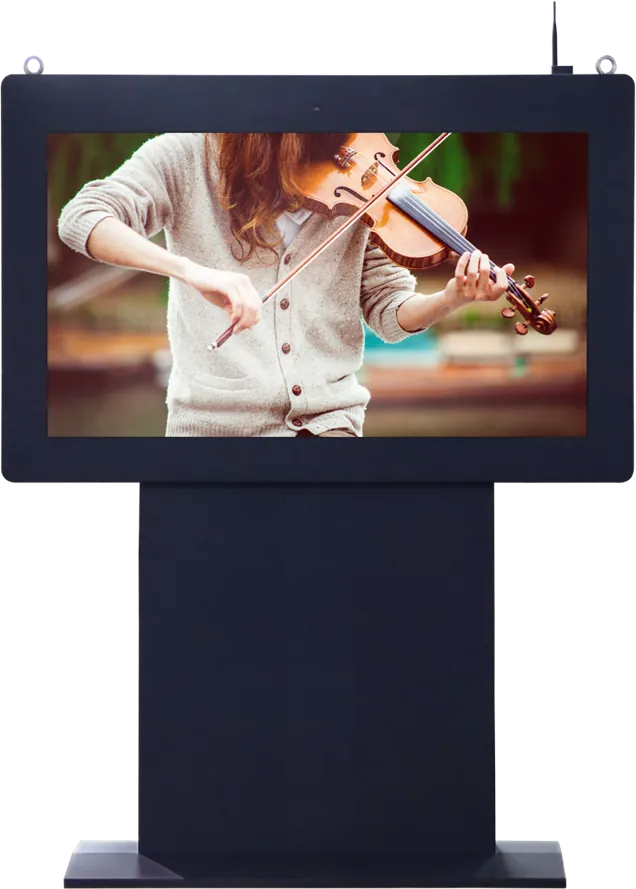
Landscape outdoor pedestal display
High-brightness pedestal screen for campus notices: industrial LCD behind tempered glass on a steel pedestal, networked publishing, 7×24 operation with scheduled power on/off.
Recommended starting configuration
| Classroom panel | 55″–86″, infrared multi-touch, Android + Windows dual system |
|---|---|
| Class board | 21.5″ portrait 9:16, 1920 × 1080, RK3288, 2 GB + 8 GB |
| Attendance | Face (2 MP or 5 MP camera option) + IC/ID card |
| Expansion | 3 serial ports for NFC, printer, card reader, scanner, ID reader, 4G |
| Network | Ethernet, Wi-Fi, Bluetooth; 4G optional |
| Power and schedule | DC 12 V 2 A adapter; RTC battery for scheduled on/off |
| Mounting | Wall (class board); wall or trolley (panel); floor-standing (attendance kiosk) |
What to tell the factory when you ask for a quote
- Number of classrooms, gates and campuses
- Panel size for each room type
- Attendance method: face, IC or ID card
- School management system to integrate with
- Age group and any cartoon artwork or colors
- Interface language and branding
In the classroom: choose the panel by room
An interactive flat panel replaces the projector and whiteboard in one device. Teaching models run from 55″ to 86″; the same platform goes up to 100″ for lecture halls and meeting rooms. Size the panel so the back row can read text; larger rooms need the larger sizes.
The dual system matters for teachers. Android runs the whiteboard, casting and quick tasks; Windows runs existing courseware and PC software. Users switch between the two. Wall mount suits fixed classrooms; the trolley stand lets one panel serve several rooms in training centers.
Distributors and education brands can put their own logo, boot screen and launcher on the panel. See OEM vs ODM for how much can change.
Attendance at the classroom and at the gate
Attendance happens in two places, and they use different hardware:
- Classroom door: the 21.5″ class board records each student by face or card and shows the timetable and class notices. Its calling module lets students phone parents.
- School gate: a floor-standing attendance kiosk, or an 8″ face recognition terminal on a pedestrian turnstile that opens by face, IC/ID card or barcode card. The campus turnstiles lower their arms automatically on power failure, use galvanized cabinets and 24 V brushless motors, and can carry color or cartoon prints.
MJK has built campus systems since 2011, when it moved Rockchip Android boards into card-based kindergarten pick-up systems; its class-board software followed in 2017.
Software and data
A class board is only useful if its data reaches the school system. The board has three serial ports for NFC, printers, card readers, scanners and ID readers, and our software team builds and adapts attendance and class-board software. Tell us the school management system and its interface and we confirm the integration before you order.
For health rooms, the ultrasonic height and weight station measures students without staff guidance, reads IC/ID cards and uploads the data. Outdoors, high-brightness pedestal screens carry campus notices on a steel pedestal, run 7×24 with scheduled power on/off and are published from the same networked system. Most campus devices run Android on RK3288; see Android vs Windows if your software is PC-based.
Frequently asked questions
What does a digital class board do?
It hangs outside each classroom, shows class information, timetables and school notices, and records student attendance by face recognition or card.
Can teaching panels run our Windows courseware?
Yes. Choose the Android + Windows dual-system configuration; teachers switch to Windows for existing courseware and to Android for the whiteboard and casting.
Can attendance data go into our school system?
Software and hardware are both customizable. Tell us the system and its interface, and our engineers confirm the integration approach before you order.
Can kindergarten devices have cartoon designs?
Yes. Housing color, size and printed cartoon artwork are customizable on class boards, attendance kiosks and campus turnstiles.
Tell us what you need built
Send a size, a sketch or a reference model. You get a spec sheet and factory price from an engineer, usually within one working day.
To get an accurate quote, tell us
- Product type and screen size
- Quantity and target market
- What to customize — logo, color, peripherals, software
- Your timeline
- Reply from an engineer within one working day
- Spec sheet and factory price, not a sales script
- Drawings can be protected under NDA