Interactive flat panel buying guide for classrooms and meeting rooms
Short answer: An interactive flat panel is a large touch display that replaces the projector and whiteboard: you write and annotate on the screen, cast from a laptop or phone, and run lessons or video meetings from one device. To buy the right one, decide five things in order: room and viewing distance, screen size, operating system, casting and conferencing needs, and mounting. This guide walks through each, using the specifications of our three catalog models.
- Size the panel from the farthest seat: as a rule of thumb, keep it within about 4–6 screen heights.
- Classrooms need durable glass, a low-flicker screen and Android + Windows; meeting rooms need casting and conferencing.
- Choose wall mounting for fixed rooms and a mobile trolley when one panel serves several rooms.
- Put size, system, casting, mounting and branding in one written RFQ and approve a sample first.
1. What an interactive flat panel is, and where it is used
An interactive flat panel (also called an interactive whiteboard display or smart board) is an LCD screen with a touch frame, a built-in computer and whiteboard software in one housing. It needs no projector, no separate PC for basic use, and no lamp replacement.
Our interactive flat panels come in 55″ to 100″, with infrared multi-touch, full-HD panels with 178° viewing, and anti-glare, high-transparency tempered glass. Typical installations:
- Schools and training centers: K-12 classrooms, kindergartens, vocational schools. See education.
- Offices: boardrooms, huddle rooms, training rooms. See offices and access control.
- Public sector and healthcare: government briefing rooms and hospital consultation rooms.
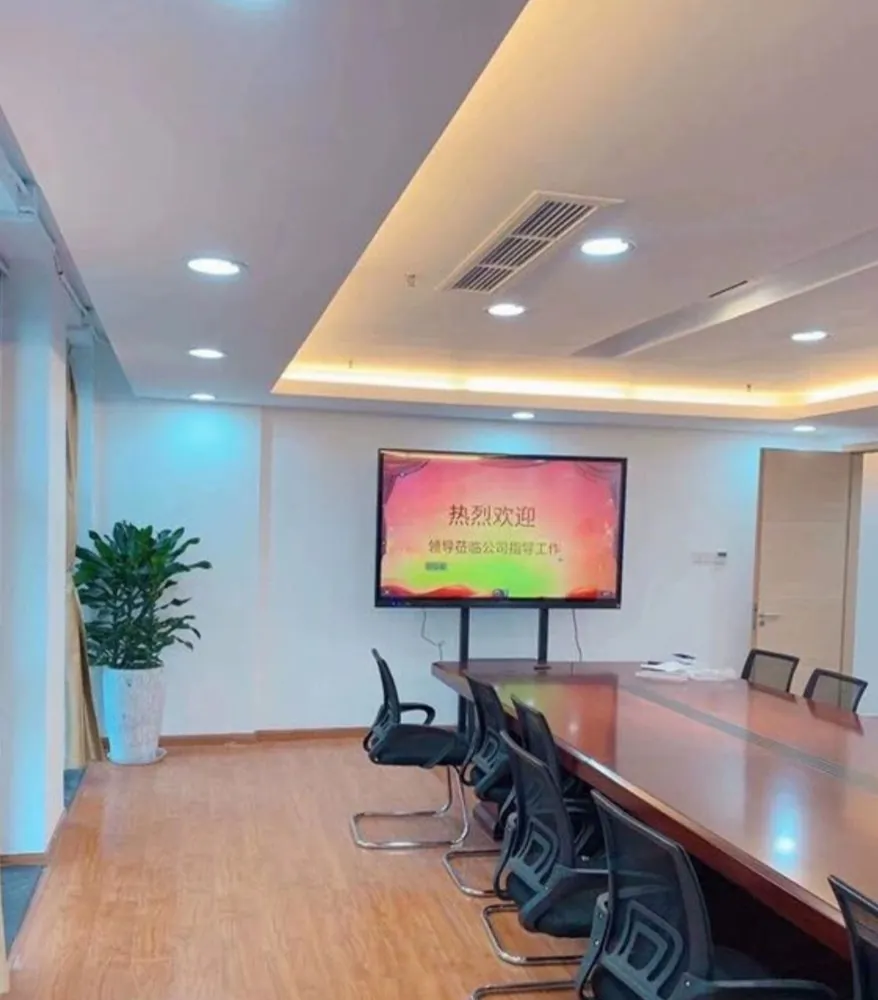
The customer case photos in our brochure show panels in meeting rooms, kindergarten classrooms and offices, both on walls and on trolley stands. More installations are on the projects page. MJK has marketed education and meeting all-in-one panels since 2013.
2. Classroom vs meeting room: what changes
The hardware is the same family; the priorities are not. A classroom panel is written on all day by many hands. A meeting-room panel is mostly a casting and video-call screen that is written on in short bursts.
| Factor | Classroom | Meeting room |
|---|---|---|
| Main task | Writing, courseware, video, web | Casting, annotation, video calls |
| Usage | Several hours a day, every school day | Short sessions, many different users |
| Typical size | 55″–86″ (teaching model) | 55″–100″ by room size |
| System | Android + Windows to run existing courseware | Android for casting; add Windows for PC applications |
| Durability | Tempered explosion-proof glass, steel back plate | Anti-glare glass, clean front |
| Eye comfort | Low-power, flicker-free screen for long lessons | Less critical |
| Mounting | Wall in fixed classrooms; trolley for shared rooms | Wall in fixed rooms; trolley for flexible spaces |
3. Size the screen to the room
Choose the size from the distance to the farthest seat, not from the budget. A common rule of thumb from AV design: the farthest viewer should sit no more than about 4 screen heights away when reading small text or handwriting, and about 6 screen heights away for general content such as video and slides. A 16:9 screen is roughly 0.49 × its diagonal tall.
| Diagonal | Approx. image height | Farthest seat, detailed text (4×) | Farthest seat, general content (6×) |
|---|---|---|---|
| 55″ | 0.68 m | 2.7 m | 4.1 m |
| 65″ | 0.81 m | 3.2 m | 4.9 m |
| 75″ | 0.93 m | 3.7 m | 5.6 m |
| 86″ | 1.07 m | 4.3 m | 6.4 m |
| 100″ | 1.25 m | 5.0 m | 7.5 m |
These numbers are general guidance, not a product specification. Exact size steps within our 55″–100″ range are confirmed at quotation. In practice:
- Huddle rooms for 4–6 people: the smaller end of the range is usually enough.
- Standard classrooms: most teaching panels are specified between 55″ and 86″.
- Large classrooms, lecture halls and boardrooms: go toward 100″, or ask teachers to enlarge text in the whiteboard software.
Also check that the shortest user can reach the top of the writing area. In primary schools this often decides mounting height more than viewing distance does.
Two more checks before you fix the size. First, sight lines: in a long, narrow room the side seats near the front see the screen at a steep angle, so a wide viewing angle matters as much as the diagonal. Second, the route into the room: the largest panels need wide doors, a clear corridor and two or more people to carry them, so confirm the packed dimensions with the supplier before ordering.
4. Display, glass and touch
All three catalog models use infrared multi-touch. An infrared frame detects any object that breaks its light grid, so users write with a finger or the stylus, and the technology scales well to large screens. The catalog does not publish a touch-point count; if your tender requires a minimum number of simultaneous touch points, state it in the RFQ and get it confirmed in writing.
- Display: full-HD LCD with 178° viewing, so students at the side of the room see the same image.
- Glass: anti-glare, high-transparency, explosion-proof tempered glass. Anti-glare matters in rooms with windows on one side.
- Classroom build: the teaching model adds fully tempered explosion-proof glass, a cold-rolled steel back plate and a low-power, low-radiation, flicker-free display.
- Resolution: our catalog specifies full HD. If a project requires another resolution, write it into the specification rather than assuming it.
5. Android, Windows or both
Panels are offered with a single Android system or an Android + Windows dual system, and users switch between them.
- Android only: starts fast and runs the whiteboard, casting and video. Enough for many meeting rooms.
- Android + Windows: Windows runs existing courseware, PC teaching software and office applications unchanged. The teaching model ships with the dual system.
Decide by software, not by habit. List the programs teachers or staff must run; if any are Windows-only, choose the dual system. Our Android vs Windows guide explains the general trade-offs.
With a dual system, ask three questions in the quote: is a Windows license included or supplied by you, who installs and activates your Windows software, and how are updates handled once the panels are on site. Schools with central IT usually want to manage the Windows side themselves, so agree that before production.
6. Casting, whiteboard and video meetings
These features decide how much the panel is actually used.
- Whiteboard software: built in. Users write, erase and annotate documents on screen.
- Screen casting: both wired and wireless. Presenters cast from a laptop or phone without changing the room setup.
- Media: the teaching model plays video and documents and browses the web directly.
- Video meetings: the meeting model supports remote meetings. A camera and microphone array is listed as a configuration option; confirm the exact camera and microphone in the quote.
- Front I/O: the wall-mounted model has front and side ports, so presenters plug in laptops and USB drives without reaching behind the panel.
Test casting from the devices your users really carry on the sample, including the company's own laptops behind its firewall.
Wireless casting also depends on the network. Plan whether the panel joins the main network, a separate guest network, or casts directly from the presenter's device, and involve the IT team early. Wired casting is the fallback when the network is busy, so keep a cable at the front of the room.
7. Wall bracket or mobile trolley
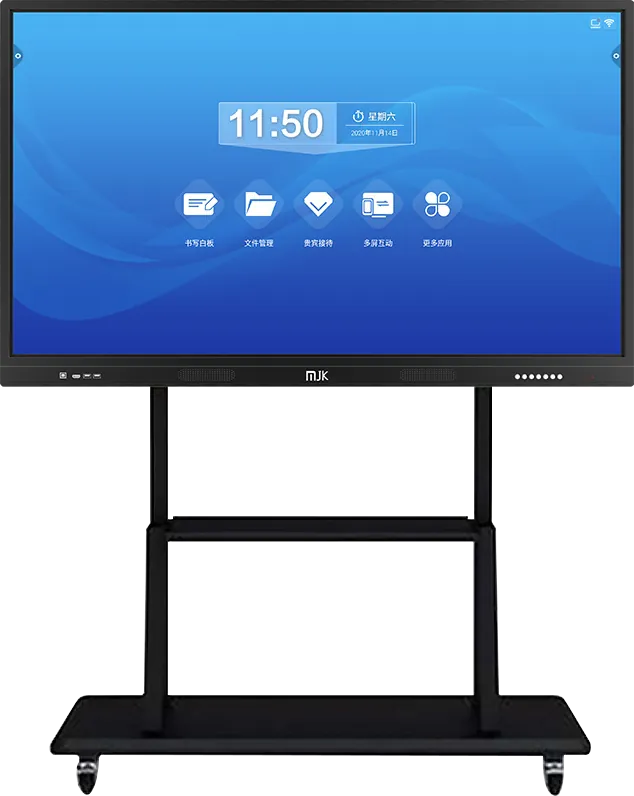
The brochure shows two installation methods: wall mounting and a mobile trolley stand.
| Mounting | Choose when | Check |
|---|---|---|
| Wall bracket | The panel stays in one room; you want a clean floor and fixed cabling | Wall strength, power and network points behind the panel, writing-area height |
| Mobile trolley stand | One panel serves several rooms, or walls cannot take a bracket | Door widths, floor surface, lockable wheels, cable storage |
Many schools mix both: fixed panels in homerooms, a trolley unit for labs and halls.
For wall mounting, plan power, network and any HDMI or USB runs to the presenter's position before the wall is finished. For trolleys, plan where the panel is stored and charged between lessons and who moves it.
8. Compare the three catalog models
| Item | Meeting & teaching panel | Wall-mounted panel | Teaching panel |
|---|---|---|---|
| Sizes | 55″–100″ | 55″–100″ | 55″–86″ |
| Display | Full HD, 178° | Full HD, 178° | Low power, flicker-free |
| Touch | Infrared multi-touch | Infrared multi-touch, finger or stylus | Finger or stylus |
| Glass | Anti-glare, explosion-proof tempered | Anti-glare, high-transparency tempered | Fully tempered, explosion-proof |
| System | Single or dual | Single or dual | Android + Windows |
| Key feature | Wired/wireless casting, remote meetings | Front and side I/O | Whiteboard teaching software, steel back plate |
| Mounting | Wall or trolley | Wall bracket | Wall or mobile stand |
| Best for | Meeting rooms, mixed use | Fixed classrooms and boardrooms | K-12, kindergartens, training schools |
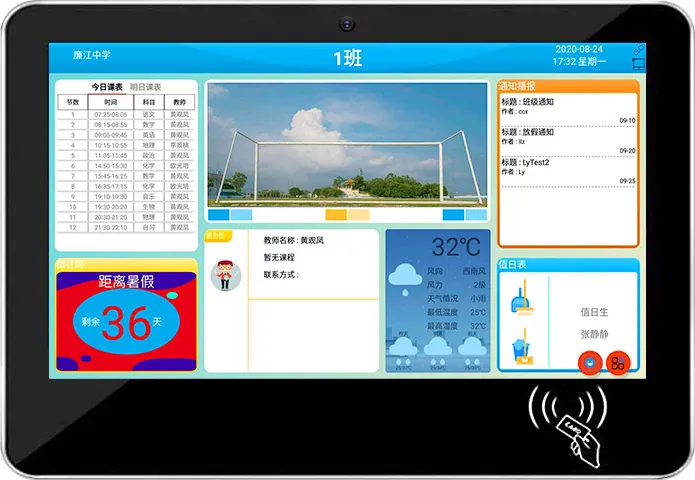
For a school-wide project, pair classroom panels with digital class boards outside each room.
9. OEM options for brands and distributors
If you resell panels under your own brand, these items can be customized on an existing model (see OEM service):
- Boot logo and boot screen.
- Launcher (home screen) and preinstalled apps, such as your whiteboard or classroom software.
- Front logo and bezel color; a school logo on the bezel and boot screen for education tenders.
- System configuration: single Android or Android + Windows.
- Camera and microphone array for conferencing versions.
- Packaging with your brand.
Send your software as installable packages with any license keys early, so it can be preinstalled and tested on the sample. For changes beyond branding, read OEM vs ODM and our customization process.
10. RFQ specification checklist
Send one written specification so every supplier quotes the same panel.
| Item | What to state |
|---|---|
| Quantity and sizes | Units per size; room dimensions and farthest seat |
| Touch | Infrared; minimum touch points if your tender sets one; stylus count |
| Display and glass | Full HD or other required resolution; anti-glare tempered glass |
| System | Android only or Android + Windows; Windows software to preinstall |
| Casting and meetings | Wired and wireless casting; camera and microphone if needed |
| Software | Whiteboard software language; apps to preinstall |
| Mounting | Wall bracket or mobile trolley, per room |
| Branding | Boot logo, launcher, front logo, bezel color, packaging |
| Market | Destination country, power plug type, required certifications |
| Delivery | Incoterms and destination; sample before volume order |
When the sample arrives, test it the way it will be used: write with several fingers and the stylus at once, cast from three or four different laptops and phones, switch between Android and Windows, run a full lesson or meeting, and check the boot logo and launcher. Write the results down; the approved sample becomes the reference for the volume order.
Our sourcing guide covers samples, payment terms and inspection in more detail.
11. Common mistakes
- Buying by diagonal alone. A panel too small for the back row is not used; measure the farthest seat first.
- Android only when staff need Windows software. List the software before choosing the system.
- Not testing casting on real devices. Company laptops and networks often behave differently from a demo phone.
- Wall mounting a panel that several rooms must share. A trolley would have served three rooms.
- Mounting too high in primary classrooms. Children cannot write on the top of the screen.
- Leaving branding and preinstalled software until after production. Approve them on the sample.
Ready to specify? Send your room list and RFQ through the contact page.
Frequently asked questions
What size interactive flat panel do I need for a classroom?
Measure the farthest seat. As a rule of thumb, it should be no more than about 4–6 screen heights away; most classroom panels are specified between 55″ and 86″, and our range goes up to 100″ for large rooms.
Do your interactive panels run Windows?
Yes. Panels come with a single Android system or an Android + Windows dual system; the teaching model ships with the dual system so existing courseware runs unchanged.
Can the panel be moved between rooms?
Yes. Besides wall mounting, the panels can be installed on a mobile trolley stand, which suits rooms that share one panel.
Can you supply interactive flat panels under our brand?
Yes. Boot logo, launcher, preinstalled apps, front logo, bezel color and packaging can carry your brand, and your software can be preinstalled and tested on the sample.