Self check-in kiosks and lobby displays for hotels and serviced apartments
Hotels and serviced apartments use self check-in kiosks to verify guests, issue room cards and print receipts, and digital signage in lobbies and elevator halls. DisplaySourcing builds standing and countertop check-in kiosks with face recognition, ID reading, automatic room-card issue and an 80 mm printer, and connects them to your hotel management system (PMS).
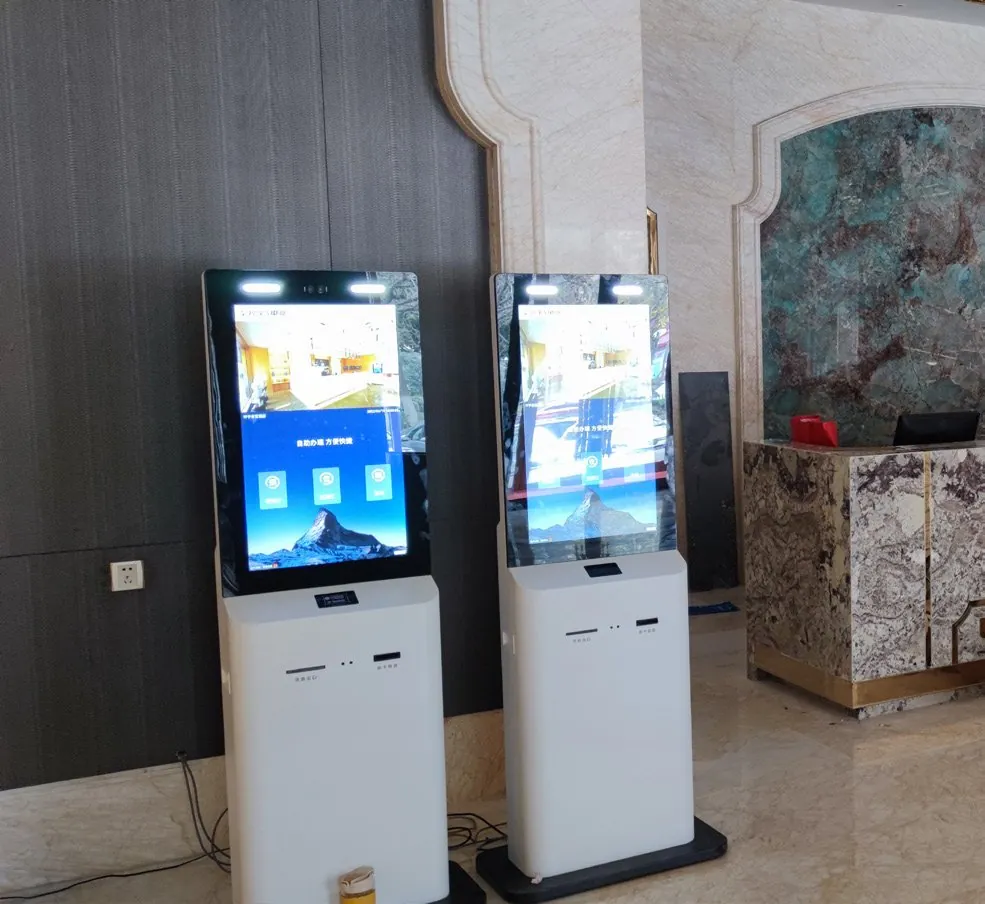
What hotels & serviced apartments need from the hardware
- Identity checks that hold up: face recognition compared against the ID document
- Room cards issued at check-in and collected at check-out without staff
- A PMS link, so the kiosk sees reservations and writes keys
- A furniture-grade finish that fits the lobby design
- Round-the-clock unattended operation for late arrivals
Recommended products
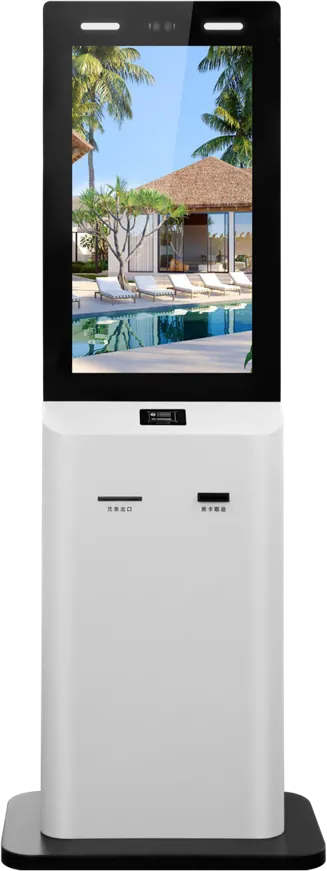
Hotel self check-in kiosk
Standing 21.5″ kiosk for the lobby: face recognition plus ID verification, automatic room-card issue and recycling, 80 mm thermal receipts, PMS connection. Android or Windows.
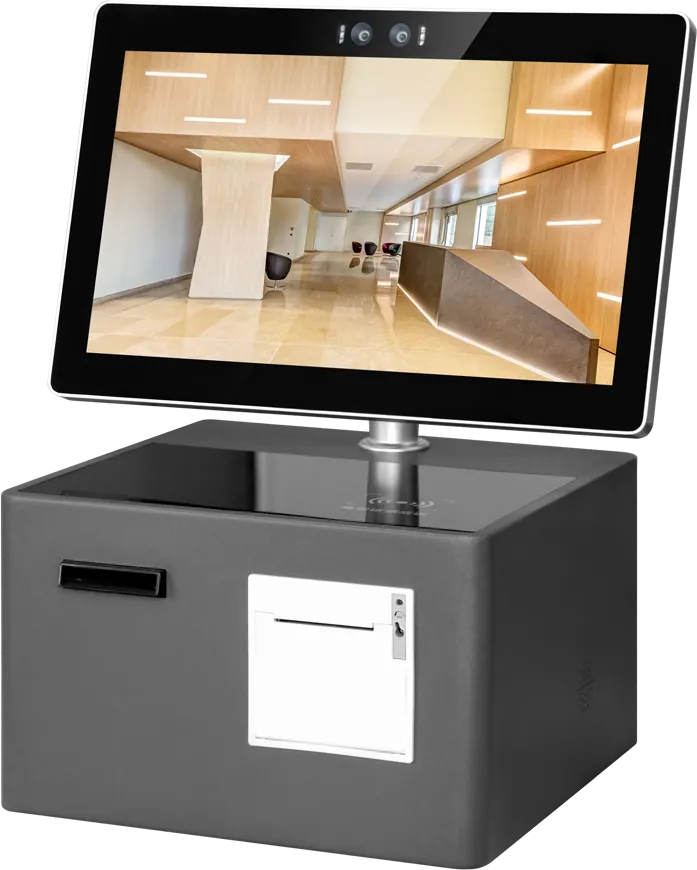
Desktop check-in terminal
15.6″ countertop terminal for reception desks and small apartment lobbies: binocular camera, ID/IC reader, receipt printing, card issuing and back-office statistics.

Wall-mount digital signage
Elevator-hall and lobby screens for events, menus and notices: slim aluminium frame, horizontal or portrait, built-in speakers and Wi-Fi, wall bracket included.
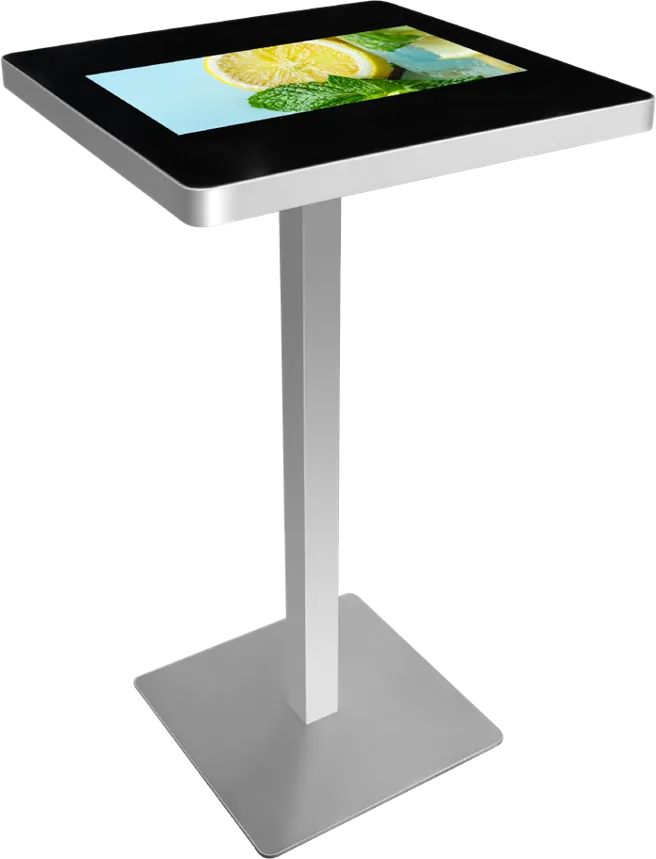
Pedestal touch table
Lounge information table on a single brushed-metal pillar, with a tilted top for standing use and optional NFC or camera.
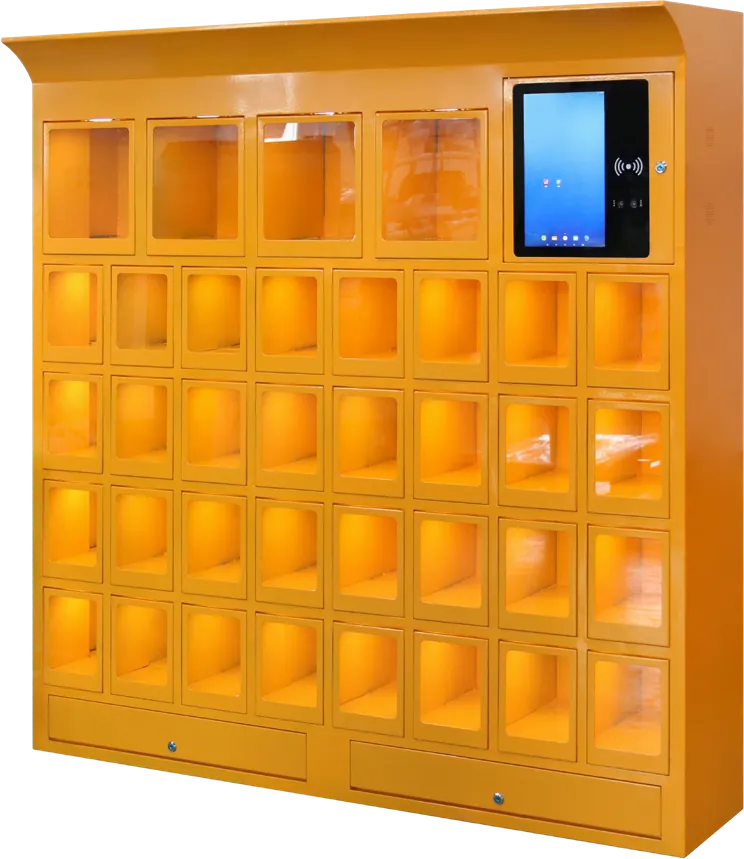
Face recognition storage locker
Face-recognition lockers for gym, spa and pool changing areas, with compartment sizes, count and color made to order.
Recommended starting configuration
| Format | Standing 21.5″ or countertop 15.6″ |
|---|---|
| System | Android or Windows |
| Identity | Binocular camera face recognition + ID/IC reader |
| Room keys | Automatic card issue; recycling on the standing model |
| Printer | 80 mm thermal receipt printer |
| Integration | Hotel management system (PMS); online payment methods |
| Housing | Custom color, logo and appearance |
What to tell the factory when you ask for a quote
- PMS name and version
- Room-key system: card type and encoder brand
- ID documents the kiosk must read
- Payment and deposit method
- Standing or countertop, and units per property
- Brand colors and interface language
Standing or countertop?
Choose the standing kiosk when the lobby has no staffed desk at night; choose the countertop terminal when guests still come to a reception desk and you want them to finish the paperwork themselves.
The standing 21.5″ kiosk handles check-in, stay extension and check-out end to end, including card recycling. The 15.6″ desktop terminal sits on the reception counter and issues cards and receipts. Serviced apartments with a small entrance often start with the desktop model and add a standing unit once late arrivals justify it.
The PMS and the room keys are the real project
The kiosk hardware is the predictable part. Most delays come from software integration, so settle these early:
- PMS: name and version, and whether it offers an interface for third-party kiosks
- Key system: card type and the encoder brand that writes your room cards
- Documents: which IDs the kiosk must read for your market
- Payment: deposit and settlement method, and the terminal your bank provides
Send these with the inquiry and our engineers confirm the integration approach before you order. Our hotel self check-in kiosk buying guide covers identity checks, keys, deposits and pilots in detail.
Lobby, elevator and lounge screens
Elevator halls are where guests wait and read. Wall-mount signage in portrait orientation fits beside elevator doors and carries restaurant menus, events and notices, published remotely to every floor. In the lobby, a ceiling-hung double-sided screen shows information to both sides without taking floor space.
In lounges, a pedestal touch table gives guests local maps and hotel services. For gyms, spas and pools, face-recognition lockers replace keys and wristbands.
Make it look like the hotel
A check-in kiosk stands in the most visible spot of the hotel. Housing color, logo and appearance are customizable, and the boot screen and interface carry your brand. Ask for a rendering with the quotation.
Plan the daily routine
An unattended kiosk still needs a few minutes of staff time each day: refill blank room cards, change the 80 mm paper roll and empty the card-recycling bin on the standing model. Place the kiosk where staff can reach it quickly, and run one property as a pilot before rolling out to the group. The desktop model’s back-office statistics show how many guests use it, which helps decide where to add units.
Frequently asked questions
Can the check-in kiosk connect to our PMS?
The kiosks are built to connect to hotel management systems. Tell us your PMS and its interface, and our engineers confirm the integration approach before you order.
How does the kiosk issue room cards?
A built-in dispenser issues the room card at check-in; the standing model also collects and recycles cards at check-out.
Can guests check out and pay on the kiosk?
Yes. The standing kiosk handles check-in, stay extension, check-out and payment by several online methods without staff.
Do you have a smaller model for a reception desk?
Yes. The 15.6″ countertop terminal has a binocular camera, ID/IC reader, receipt printer and card issuing in a desk-top body.
Tell us what you need built
Send a size, a sketch or a reference model. You get a spec sheet and factory price from an engineer, usually within one working day.
To get an accurate quote, tell us
- Product type and screen size
- Quantity and target market
- What to customize — logo, color, peripherals, software
- Your timeline
- Reply from an engineer within one working day
- Spec sheet and factory price, not a sales script
- Drawings can be protected under NDA