Self-service terminals for banks, utilities and government service halls
Banks, utility offices and government service halls use three kinds of terminal: queue-ticket kiosks at the entrance, self-service terminals that verify identity and complete a transaction, and payment kiosks for bills and card top-ups. DisplaySourcing builds all three on Rockchip RK3288/RK3399 or Intel platforms, with ID and biometric modules, bank-card slots, receipt printers and dual-screen displays.
What banks, utilities & government halls need from the hardware
- Identity verification: ID card reading plus face comparison
- Locked-down software in a public hall with no staff standing at the unit
- Fleet management: OTA updates, scheduled power on/off, remote monitoring
- Queue tickets linked to the calling system
- Cabinets that survive public use: cold-rolled steel and tempered glass
Recommended products
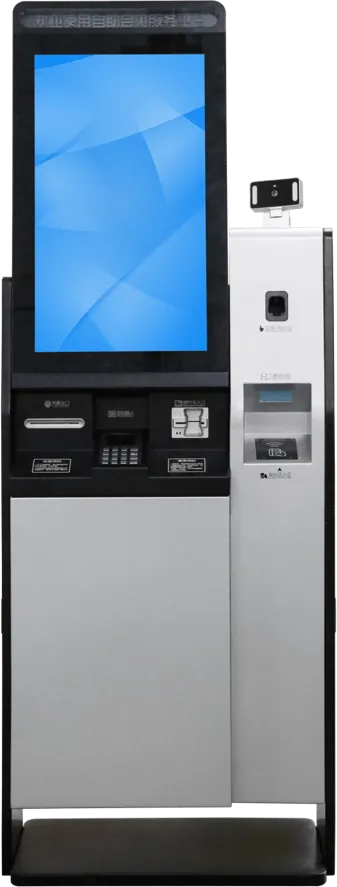
Bank & government terminal
Bank and government terminal with bank-card slot, receipt outlet, QR scanner, biometric and ID modules and dual-screen asynchronous display. RK3288/RK3399 with 4G, OTA updates and scheduled power on/off.
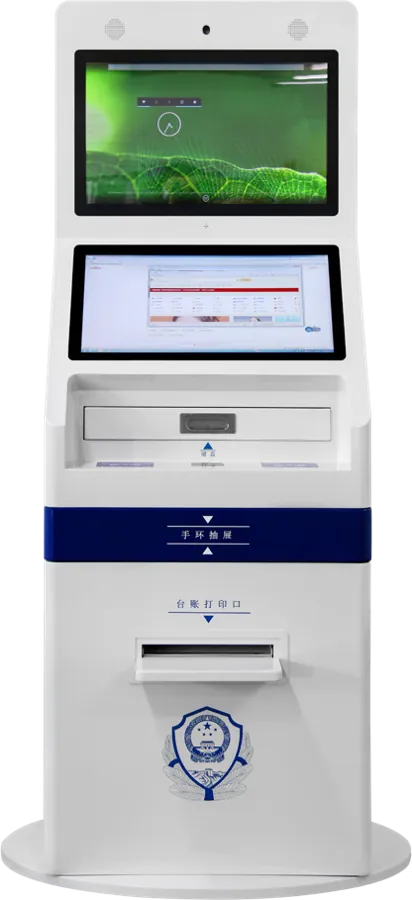
Dual-screen service terminal
21.5″ dual-screen terminal: one screen for the user, one for guidance or notices. ID card reading, face verification, card swipe and document printing, with an Android + Windows dual-system option.
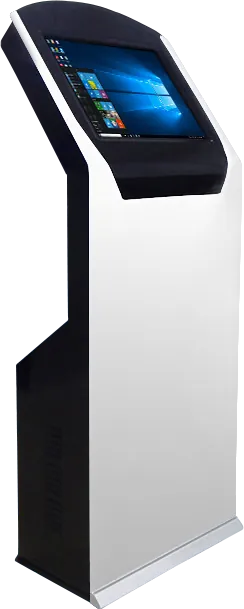
Queue ticket kiosk
Queue ticket kiosk for the hall entrance: issues tickets linked to the calling system, infrared touch behind anti-glare tempered glass, Intel dual-core industrial board, fan-cooled steel cabinet.
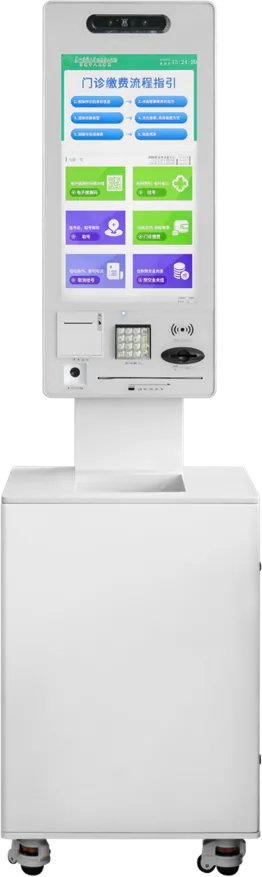
Payment & top-up kiosk
32″ payment and top-up kiosk for utilities: bill payment, card top-up and inquiry, card read/write module, thermal printer, 5 MP face camera and a PIR sensor that wakes the screen.
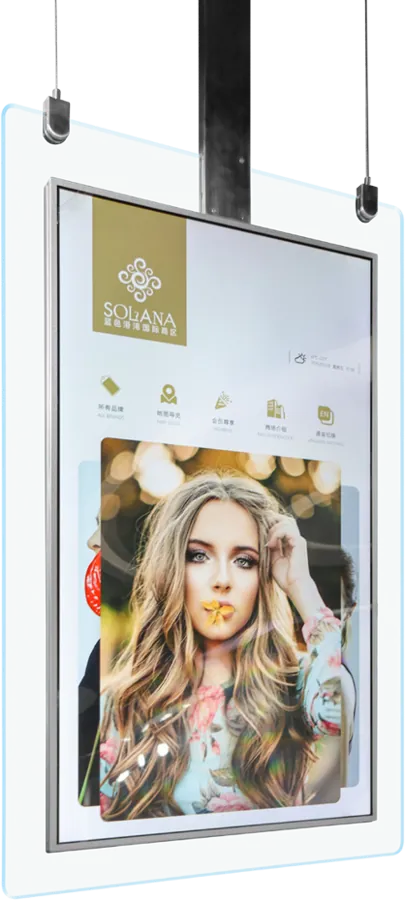
Ceiling-hung double-sided display
Ceiling-hung double-sided screen for rates, notices and service guides above counters, in 43″ 1080P or 55″ 4K, with no floor space used.
Recommended starting configuration
| Platform | Android RK3288 / RK3399; Intel Windows for PC-based agency software; dual-system option |
|---|---|
| Screen | 21.5″ single or dual; 32″ for payment kiosks |
| Identity | ID card reader, face camera (USB, up to 8 MP), biometric module |
| Transaction modules | Bank-card slot, receipt printer, QR scanner, card reader/writer, A4 printer |
| Network | Ethernet, Wi-Fi, 4G |
| Management | OTA updates, scheduled power on/off, remote monitoring, RTC battery |
| Cabinet | Cold-rolled steel, powder-coated, custom color |
What to tell the factory when you ask for a quote
- List of transactions the terminal must complete
- ID documents and biometric checks required
- Card handling: bank cards, IC cards, card issuing
- Printers: receipt, A4 or both
- Your application and the OS it runs on
- Number of halls and terminals, and local certification needs
Three terminals, three jobs
A service hall usually needs a queue kiosk, a service terminal and a payment kiosk. They share a cabinet style but not a module list, so specify each one on its own.
| Terminal | Job in the hall | Key modules |
|---|---|---|
| Queue ticket kiosk | Issue a number and route the visitor | Infrared touch, ticket issuing, calling-system link |
| Service terminal | Verify identity and complete a case | ID reader, face camera, card slot, receipt or A4 printer, dual screen |
| Payment kiosk | Pay bills and top up cards | QR scanner, card reader/writer, thermal printer, PIR wake-up |
The 32″ payment kiosk is a large unit: 1810 × 550 mm, 60 kg and 220 W, with a 300 cd/m² screen and 10-point capacitive touch. Plan a fixed position, a dedicated socket and network point for each one before installation day.
Fitting every module to every unit raises cost and adds parts that can fail. The kiosk cost guide shows which modules move the price most.
Identity, security and fleet management
The bank and government terminal reads ID documents and compares the holder’s face with a biometric module and a USB camera of up to 8 MP. The dual-screen layout puts the transaction on one screen and guidance on the other, which cuts the questions staff have to answer.
For a fleet of terminals across many halls, remote management matters as much as the hardware: OTA updates push new software without a site visit, scheduled power on/off follows opening hours, and a real-time-clock battery keeps that schedule through power cuts. 4G keeps a terminal online where the hall network is restricted.
Who writes the software
Banks and agencies usually supply their own application. We pre-install it in kiosk mode and adapt drivers for the printer, scanner, card reader and ID module we fit. Agency software that runs only on a PC needs the Intel Windows build; new applications run well on Android. The Android vs Windows guide compares cost, security and lock-down.
The factory brochure lists Agricultural Bank of China, GRG Banking and Nantian among the enterprises MJK has worked with. Ask for the driver and SDK list for your module set before development starts.
LCD video walls for public-sector buildings, including the China (Taiyuan) Coal Transaction Center and the Fucheng District Sci-Tech Innovation Park in Mianyang, are on our projects page.
Frequently asked questions
Can one terminal read ID cards and verify the face?
Yes. The bank and government terminal combines an ID card reader, a biometric module and a face camera, so the holder is compared with the document in one step.
Can terminals in many halls be updated remotely?
Yes. The terminals support OTA software updates, scheduled power on/off and remote monitoring, with Ethernet, Wi-Fi or 4G.
Can the queue kiosk connect to our calling system?
The queue kiosk is built to issue tickets linked to a calling system. Tell us which system you use and our engineers confirm the interface before you order.
Why choose a dual-screen terminal?
One screen runs the transaction and the other shows guidance or notices. The 21.5″ dual-screen model can also run Android and Windows side by side.
Tell us what you need built
Send a size, a sketch or a reference model. You get a spec sheet and factory price from an engineer, usually within one working day.
To get an accurate quote, tell us
- Product type and screen size
- Quantity and target market
- What to customize — logo, color, peripherals, software
- Your timeline
- Reply from an engineer within one working day
- Spec sheet and factory price, not a sales script
- Drawings can be protected under NDA