Self-ordering kiosks and digital menu boards for restaurants and cafés
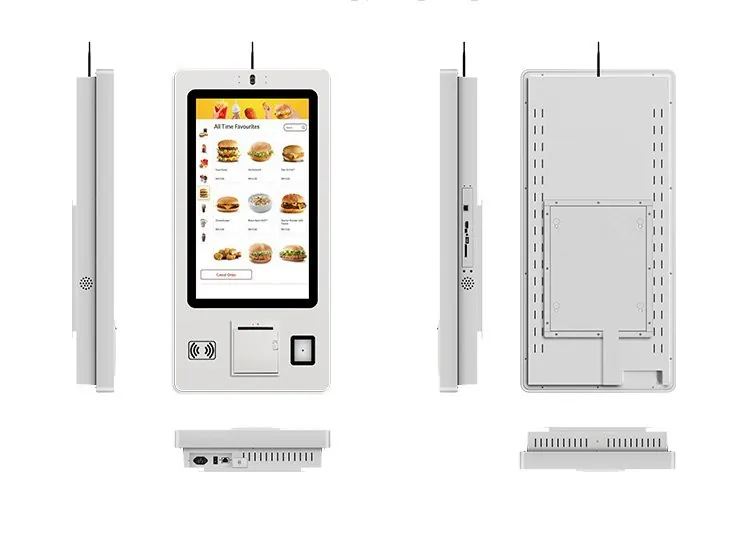
Restaurants and QSR chains use self-ordering kiosks to take orders and payment, digital menu boards above the counter, dual-screen POS terminals at the till and, in some cafés, touch tables guests order from. DisplaySourcing builds the kiosk with the receipt printer and scanner fitted and tested, and pre-installs your ordering app in kiosk mode.
What restaurants, qsr & cafés need from the hardware
- Ordering and payment in one flow: touch, QR or NFC payment, printed receipt
- Enough kiosks for the lunch peak, and a printer that is easy to reload
- Menu boards readable from the queue and changed by time of day
- Surfaces that wipe clean: tempered glass, no open gaps around the screen
- A clean link to the POS and kitchen system
Recommended products
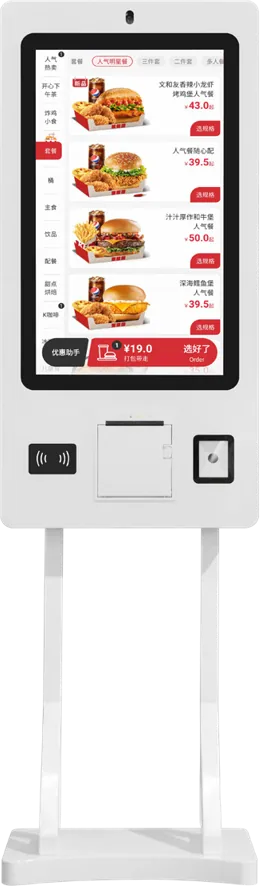
Self-ordering kiosk
Floor-standing or wall-mount ordering kiosk with QR/NFC payment, a built-in receipt printer and a 180° wide-window scanner. It plays ads when idle and runs a multilingual interface.

Wall-mount digital signage
Menu board for above the counter: slim aluminium frame, horizontal or portrait mounting, built-in speakers and Wi-Fi. Scheduled playlists switch breakfast, lunch and dinner menus.
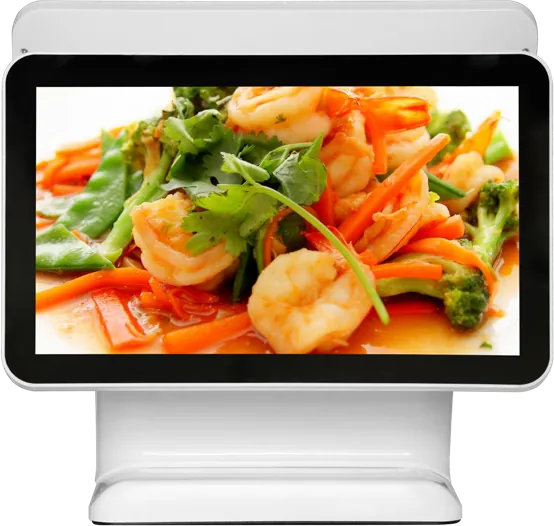
15.6″ dual-screen POS terminal
The till for staff-served orders: 15.6″ cashier touch screen, customer display for totals and promotions, receipt printer and QR scanner on USB or serial ports.
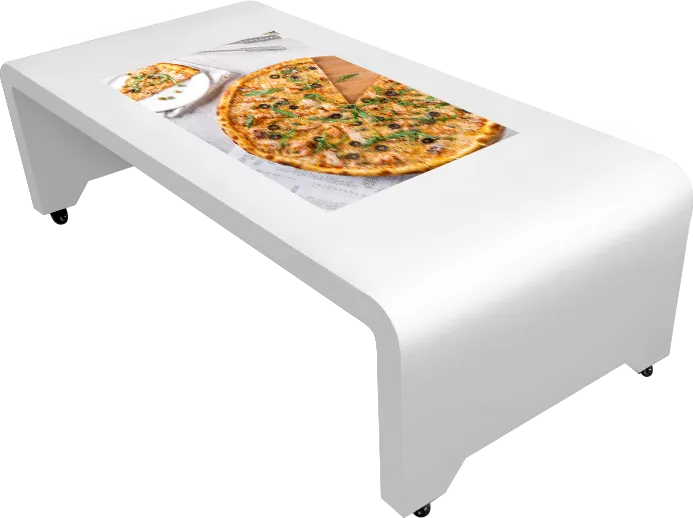
Restaurant ordering table
Ordering table for cafés and themed restaurants. Guests order and play games at the table; the explosion-proof tempered-glass top resists heat, water and scratches.
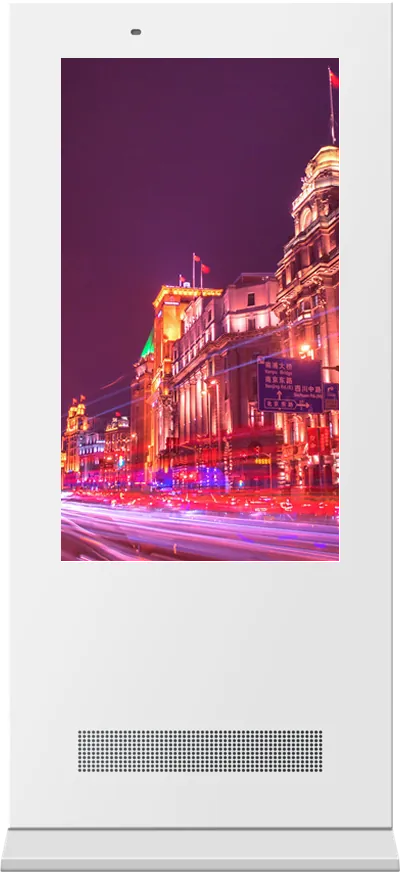
55″ outdoor floor-standing signage
Outdoor menu and drive-thru board: 55″ at 1,500 nits with automatic brightness, IP55 sealed cabinet, smart airflow cooling and three-stage lightning protection.
Recommended starting configuration
| Mounting | Floor-standing, wall-mount or countertop |
|---|---|
| Screen size | 15.6″, 21.5″, 27″ or 32″, chosen by mounting position |
| Platform | Android (RK3288 / RK3399); Windows if your POS software requires it |
| Printer | 80 mm thermal receipt printer |
| Scanner | 180° wide-window QR / barcode scanner |
| Payment | QR and NFC; bracket for your card terminal |
| Software | Your ordering app in kiosk mode; idle-screen ads; multilingual UI |
What to tell the factory when you ask for a quote
- Number of outlets and kiosks per outlet
- Floor-standing, wall-mount or countertop
- Your ordering / POS software and the OS it runs on
- Payment methods and the card-terminal model
- Receipt language and printer requirements
- Brand colors and logo
How many kiosks, and where
Size the kiosk count from your peak-hour order count and how long an average order takes on screen, then add one unit so a kiosk can be out of service without building a queue.
The self-ordering kiosk comes in floor-standing and wall-mount versions. Wall-mount suits small shops where floor space is tight and the wall is next to the queue. Floor-standing suits open lobbies where guests approach from several sides. Countertop terminals work on a ledge or bar. Portrait screens show a long menu with less scrolling. Larger screens, up to 32″, show more items per page but need more floor space; 15.6″ and 21.5″ suit wall and counter positions. Our self-ordering kiosk guide covers mounting, screen size and orientation in detail.
Printer and payment decide reliability
Most kiosk service calls in restaurants are about paper and payment, not the screen. Ask for:
- An 80 mm thermal printer with a roll that staff can change without tools
- A wide scan window for phone QR codes; ours is a 180° design
- A bracket that fits the exact card terminal your payment provider issues
- Your app tested with the printer and scanner on the sample, before mass production
The kiosk passes orders to your POS and kitchen display through your own ordering software. We pre-install the app and test it with the printer and scanner; if you have no kiosk software yet, our software team can develop or adapt one. Each module adds cost, so list only what the order flow needs. The kiosk cost guide shows which choices move the price.
Menu boards and the till
Menu boards are wall-mount screens in portrait or horizontal orientation. Split-screen layouts keep prices fixed in one zone and run food video in another. Scheduled playlists switch menus by time of day across every outlet from one console. If you sell outside, the outdoor floor-standing model at 1,500 nits and IP55 handles drive-thru lanes and terrace menus.
For staff-served orders, the 15.6″ dual-screen POS in Android or Windows shows totals to the guest and plays promotions between orders.
In the dining room
Touch ordering tables put the menu on the table itself. The top is explosion-proof tempered glass that resists heat, water and scratches, so it is wiped down like any table. Table height, size, frame color and logo printing are made to order.
Frequently asked questions
Can a self-ordering kiosk take card payments?
Yes. QR and NFC payment are built in, and the card terminal issued by your payment provider mounts in a bracket on the kiosk. Tell us the terminal model so we size the bracket.
Can you install our ordering software?
Yes. We pre-install your Android APK or Windows application in kiosk mode and test it with the printer and scanner before shipping.
Wall-mount or floor-standing — which should a restaurant choose?
Wall-mount saves floor space in small shops; floor-standing suits open lobbies where guests approach from several sides. Both versions use the same ordering features.
Do the kiosks show advertising when nobody is ordering?
Yes. The kiosk plays promotional video or images when idle and returns to the menu on the first touch.
Tell us what you need built
Send a size, a sketch or a reference model. You get a spec sheet and factory price from an engineer, usually within one working day.
To get an accurate quote, tell us
- Product type and screen size
- Quantity and target market
- What to customize — logo, color, peripherals, software
- Your timeline
- Reply from an engineer within one working day
- Spec sheet and factory price, not a sales script
- Drawings can be protected under NDA