Digital signage and kiosks for retail stores and shopping malls
Retail stores and malls use four kinds of display hardware: floor-standing and wall-mount signage for promotions, ceiling-hung double-sided screens in windows and above counters, touch kiosks for mall wayfinding, and dual-screen POS terminals at the till. DisplaySourcing builds all four in its own Guangdong factory, with publishing software that lets a chain change every screen from one console.
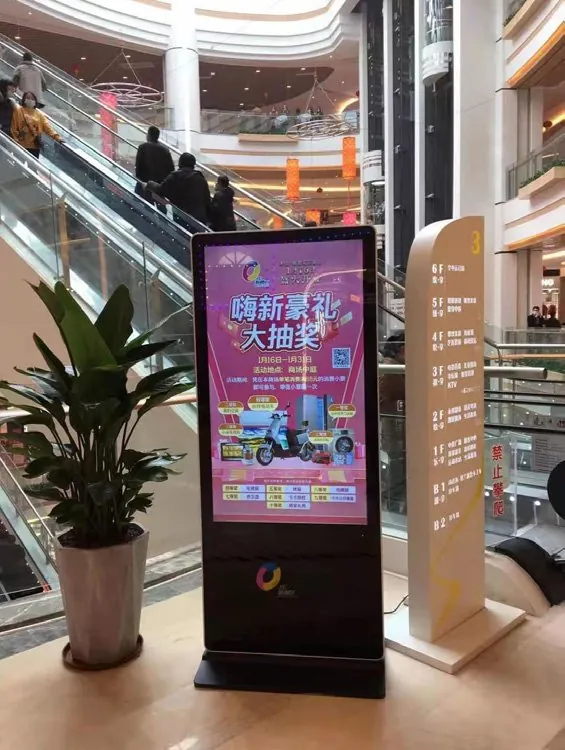
What retail & shopping malls need from the hardware
- One content system for every store: schedules, store groups and play logs
- Screens that run every opening hour and keep playing when the network drops
- Window and storefront screens bright enough for where they hang
- Housings that match the store fit-out: color, wood or metal trim, logo light box
- Checkout hardware that also sells, with a customer display for promotions
Recommended products
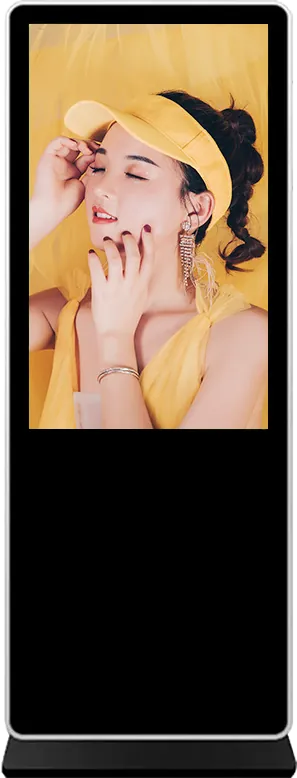
Indoor floor-standing digital signage
The 43″ or 55″ floor-standing player for entrances and aisles. It runs split-screen video, images and scrolling text published remotely, and plays from USB or SD card when the network is down.
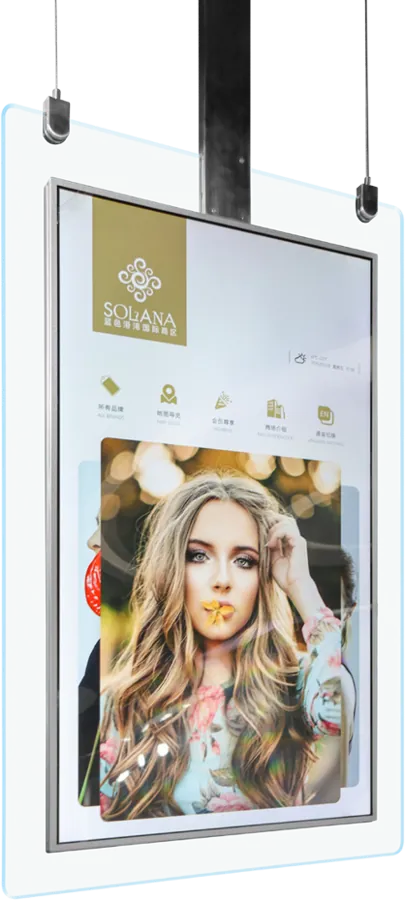
Ceiling-hung double-sided display
Two screens back-to-back in a tempered-glass frame, hung in shop windows or over counters: 43″ 1080P or 55″ 4K, no floor space used.
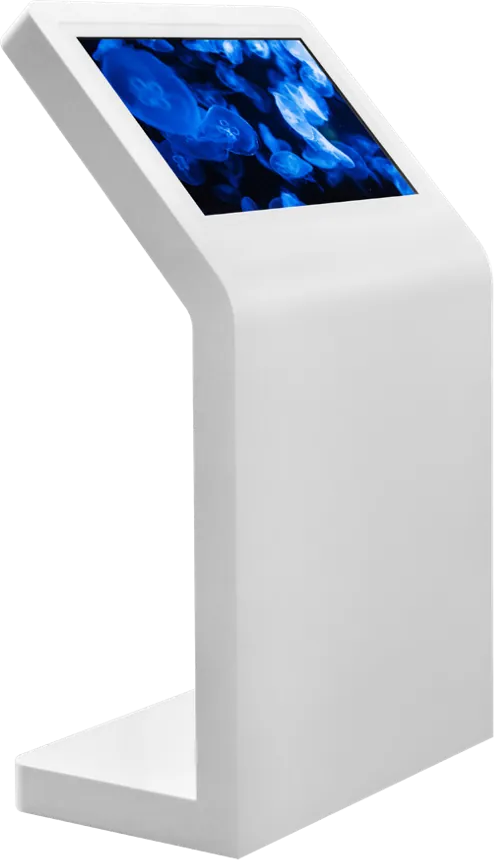
Upright information kiosk
Mall directory and wayfinding terminal with 10-point touch, Android or Windows, and Wi-Fi, Ethernet or 4G. The small footprint suits corridors and escalator landings.
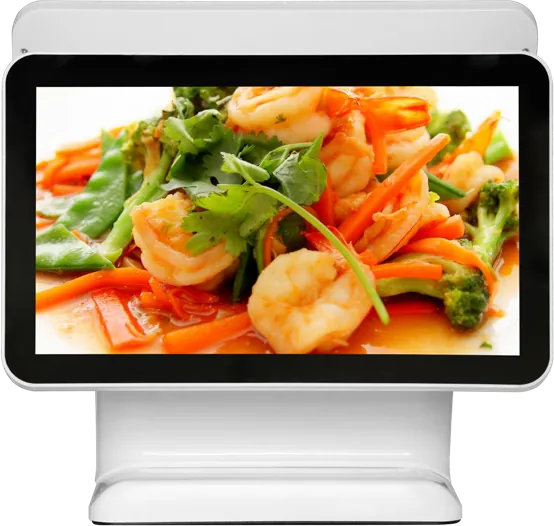
15.6″ dual-screen POS terminal
15.6″ checkout with a customer display that shows totals during payment and promotions between orders. Android (RK3288) or Windows (Core i3), ≤ 32 W.
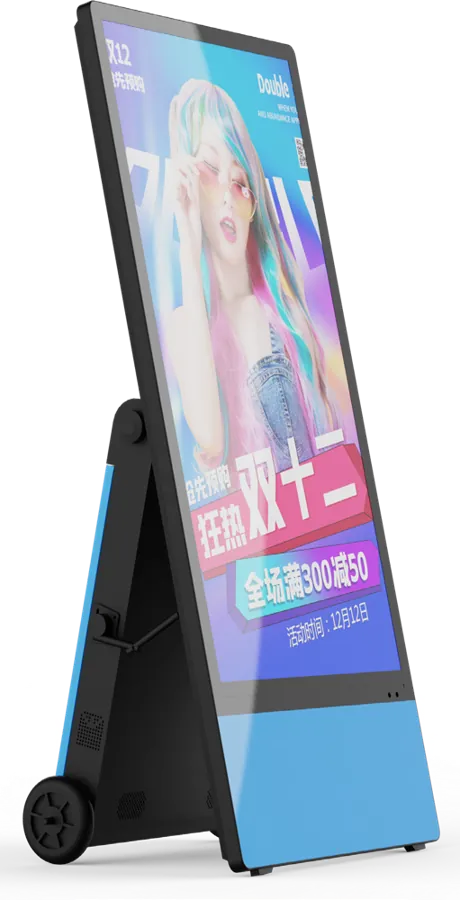
Portable battery outdoor poster
Battery-powered 1,800-nit poster for the pavement outside the store: about 14 hours on a 50,000 mAh battery, rolled in at closing time.
Recommended starting configuration
| Screen size | 43″ or 55″ floor-standing; 43″ / 55″ ceiling-hung double-sided |
|---|---|
| Operating system | Android (RK3288 / RK3399) for playback; Windows only for existing PC software |
| Brightness | 350 nits in store; 1,500–1,800 nits outdoor models for direct sun |
| Touch | None for promotion screens; 10-point capacitive for directories |
| Content software | B/S or C/S publishing: split-screen templates, scheduling, play logs, group management |
| Mounting | Floor-standing, wall bracket or ceiling-hung |
| Housing | RAL color, wood or metal trim, logo light box |
What to tell the factory when you ask for a quote
- Number of stores and screens per store
- Size and orientation for each screen position
- Indoor, window or outdoor — and whether it gets direct sun
- Touch or no touch
- Our publishing system or your own CMS
- Housing color, trim and logo
Store screens and mall screens do different jobs
A store screen sells a product; a mall screen helps people find a shop. Specify them separately.
In the store, most promotion screens need no touch. A 43″ or 55″ floor-standing or wall-mount player at 350 nits is right for indoor viewing. For a shop window, the ceiling-hung double-sided model shows one side to the street and one to the store. Any screen that stands in direct sun belongs in the outdoor range: specify at least 1,500 nits and an IP55 cabinet, as explained in the outdoor signage buying guide.
In the mall, the directory is an interactive touch kiosk with 10-point touch and wayfinding software. Choose upright for corridors and tilted for open atriums where people stand longer.
Plan content for the whole chain, not one screen
The cost of a retail screen network is in content work, not hardware. Our C/S publishing system was built for chains:
- Group management: send one playlist to all stores, a region or one store
- Tiered permissions so head office and store managers see different controls
- Split-screen templates, scrolling text, weather and scheduled playback
- Detailed play logs and footfall statistics
- Remote terminal monitoring and resumable downloads over weak store networks
If you already have your own CMS, choose Android and we pre-install your player app instead. Android on RK3288 or RK3399 costs less and draws less power than Windows for playback; see Android vs Windows. Stores with existing TVs can use the 4K network media player box over HDMI and join the same network.
Use the checkout and the shelf as screens too
The till is where every customer stops. The 15.6″ dual-screen POS shows totals on the customer display during payment and plays promotions between orders. It connects receipt printers, QR and barcode scanners, cash drawers and card readers through USB and serial ports.
On shelves and in narrow windows, a stretched bar LCD fits where a 16:9 screen will not. It takes cloud publishing and plays offline from SD card or USB.
Match the store design
Retail screens are part of the interior. Cabinet color can be any RAL shade, with wood-grain or metal trim and a logo light box on floor-standing models. Send your fit-out drawings or a photo of the store and we propose the housing finish with the quote.
LCD video walls built for brand showrooms, such as the Nice Group showroom, are on our projects page.
Frequently asked questions
Can we update screens in all our stores from head office?
Yes. Our B/S (web) or C/S (desktop) publishing system sends playlists to all stores, a region or a single store, with scheduling and play logs. Screens keep playing from local storage if the network drops.
How bright should a retail screen be?
Indoor signage runs at 350 nits, which suits in-store viewing. A screen in direct sun needs at least 1,500 nits; our outdoor models run at 1,500 and 1,800 nits with automatic dimming.
Can we use our existing TVs?
Yes. The 4K network media player box connects to any TV or monitor by HDMI and turns it into a networked signage player on the same publishing platform.
Can the mall directory run our wayfinding software?
Yes. We pre-install and test your Windows application or Android APK in kiosk mode before shipping.
Tell us what you need built
Send a size, a sketch or a reference model. You get a spec sheet and factory price from an engineer, usually within one working day.
To get an accurate quote, tell us
- Product type and screen size
- Quantity and target market
- What to customize — logo, color, peripherals, software
- Your timeline
- Reply from an engineer within one working day
- Spec sheet and factory price, not a sales script
- Drawings can be protected under NDA