How to source custom kiosks and digital signage from China: a step-by-step guide
Short answer: Sourcing a custom kiosk or digital signage display from China works best in eight steps: write a one-page brief, shortlist factories that build the hardware themselves, verify them, compare quotes on one identical specification, approve a physical sample, put payment terms and Incoterms in a contract, inspect before shipment, and plan spare parts and software support. Most failed projects skip the brief or the sample.
- A one-page brief and an approved sample prevent most sourcing problems.
- Compare quotes line by line on the same specification — panel grade, board, peripherals, cabinet.
- Agree payment terms, Incoterms and a pre-shipment inspection in writing before production.
1. Write a one-page brief
Factories quote what you ask for. A vague request ("a 32-inch kiosk, best price") gets five quotes for five different machines that cannot be compared. One page is enough if it answers these questions:
| Topic | What to write |
|---|---|
| Use | Where it stands and what the user does on it, step by step |
| Screen | Size, portrait or landscape, touch or not, indoor or outdoor brightness |
| Platform | Android or Windows, and whose software runs on it |
| Peripherals | Printer, scanner, card reader, camera, payment terminal (exact models if you have them) |
| Look | Floor, wall or countertop; color; logo; any reference photo |
| Commercial | Quantity per year, target price, target delivery date |
| Market | Destination country and the certifications it requires (CE, FCC, UKCA and so on) |
2. Shortlist factories, not traders
Traders can be useful for small standard orders, but custom hardware needs someone who controls the structure, the mainboard and the software. Signs you are talking to a manufacturer:
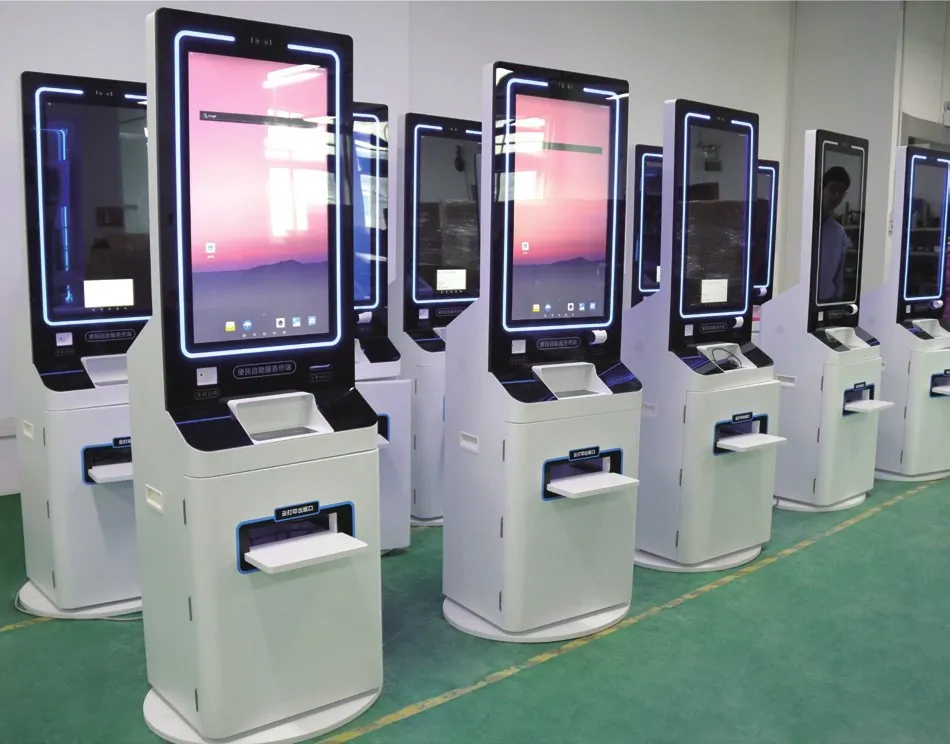
- They can show assembly and testing lines for the product type you need, live on video.
- They discuss the mainboard (for example RK3288 or RK3399) and can change interfaces or firmware.
- They quote cabinet changes with drawings, not just a new color.
- Test reports and certificates carry the factory’s own company name and match the model.
- An engineer, not only a salesperson, answers technical questions.
3. Verify the factory
Before paying a deposit, check that the company exists and makes what it claims:
- Business license: ask for it and check that the company name matches the bank account and the contract.
- Video audit: a live walk through production, testing and the finished-goods area, not a pre-recorded video.
- Certificates: open the CE or FCC report and check the model number and test standards.
- References: ask for installation photos or customers in your industry.
- Visit: if the order is large, visit in person or use a third-party audit service.
4. Compare quotes on the same specification
A lower price usually means a different specification somewhere. Put the quotes side by side and check each line:
- Panel brand and grade (A-grade or not), brightness and lifetime
- Touch type and number of touch points
- Mainboard, RAM and storage
- Exact printer, scanner and reader models
- Cabinet material and sheet thickness, paint process
- Packaging (carton, foam, wooden crate), warranty and spare parts
If one supplier is far cheaper, ask what is different instead of assuming it is a bargain.
5. Approve a physical sample
Never go to mass production on drawings alone. Use the sample to test the full workflow with your real software:
- Run it continuously for several days to catch overheating or crashes.
- Test every peripheral with your application, not only the factory’s demo.
- Check finish, color, logo position and cable management.
- Check packaging by shipping the sample the same way as the order.
Write down every change and get an updated specification sheet before production starts. The approved sample becomes the reference for inspection.
6. Agree payment terms and Incoterms in writing
A common structure for custom hardware is a deposit to start production and the balance after inspection, before shipment. Whatever you agree, put it in the contract with the approved specification attached.
| Incoterm | Seller delivers to | Good for |
|---|---|---|
| EXW | Factory door | Buyers with their own China forwarder |
| FOB | On board at the Chinese port | Most sea shipments; you control freight |
| CIF | Destination port, freight and insurance paid | Simple quotes; check the insurance terms |
| DDP | Your door, duties paid | Small buyers who want one price |
7. Inspect before shipment
Inspect while the balance is still unpaid. A good inspection checks a statistical sample of finished units against the approved sample: power-on and burn-in, display, touch, every peripheral, software version, appearance and packaging. You can use your own staff, a third-party inspection company, or a live video inspection for smaller orders.
8. Ship, import and certify
- Sea or air: floor-standing kiosks usually go by sea in wooden crates or reinforced cartons; samples go by air or express.
- Customs: ask your customs broker to confirm the tariff classification before you order, because duty rates vary by product and country.
- Batteries: products with built-in lithium batteries, such as portable outdoor posters, need battery transport documents.
- Labels and manuals: agree the rating label, warning text and manual language for your market.
9. Plan after-sales before you need it
Agree how faults are handled: which issues are solved remotely, how replacement parts are shipped, and how long software updates are supported. Ordering a small stock of wear parts with the first batch — printer mechanisms, touch panels, power supplies — avoids weeks of downtime later.
10. A realistic project timeline
Custom hardware moves in phases, and each phase waits on a decision from you. Plan for them instead of a single "delivery date":
- Brief and quotation — clarifying questions, a proposal and a price.
- Design approval — drawings or renderings for any cabinet or branding change.
- Sample build and testing — the longest wait for a first order, because your software and peripherals are tested together.
- Mass production — starts only after written sample approval and the deposit.
- Inspection, packing and shipping — then transit and customs clearance at your end.
Ask the factory for the duration of each phase in writing. Delays usually come from late feedback on samples, changes after approval, or missing information about peripherals and payment terminals.
11. Look at total cost, not unit price
The cheapest unit can be the most expensive kiosk to own. Before choosing, estimate:
- Freight and duties — a heavier steel cabinet or a wooden crate changes the landed cost.
- Software — licences, integration work and updates over several years.
- Downtime — a kiosk that is out of service costs you staff time and lost sales.
- Spare parts and repairs — availability of the exact printer, touch panel and power supply models.
- Energy — screens that run all day add up; Android builds and automatic dimming reduce it.
12. Red flags to watch for
- Prices far below every other quote on the same specification.
- Reluctance to show production on a live video call.
- Certificates issued to a different company, or with a model number that does not match.
- Bank account name different from the contract party.
- Pressure to pay in full before production or before inspection.
- No engineer available to answer technical questions.
13. Make communication easy
Keep one version-numbered specification sheet and update it after every change, so both sides always refer to the same document. Confirm decisions in writing after calls, share photos or short videos of any issue, and agree on a single contact on each side. Time-zone differences matter less when every open question is written down with an owner and a date.
Common mistakes
- Choosing on unit price without comparing specifications.
- Skipping the sample, or approving it without testing your own software.
- Paying the full amount before inspection.
- Leaving certification to the end, then finding the report does not cover your model.
- No written agreement on software ownership and updates.
Frequently asked questions
How do I know if a Chinese kiosk supplier is a real factory?
Ask for a live video walk through their assembly and testing lines, check that certificates carry their own company name and model, and see whether an engineer can discuss mainboard and cabinet changes.
Should I order a sample before mass production?
Yes. Test the sample with your own software and peripherals, record every change, and use the approved sample as the inspection reference.
Which Incoterm should I use for kiosks from China?
FOB is the most common for sea freight because you control shipping. DDP suits small buyers who want one delivered price; EXW suits buyers with their own China forwarder.