Custom kiosk enclosure design: materials, finishes, structure and approval
Short answer: A kiosk enclosure is the cabinet that holds the screen, computer, peripherals and power supply, and it decides how the product looks, how long it lasts and how easy it is to service. Specify it in this order: where it stands, which modules it must hold, which material and finish suit that place, and how you will approve it. This guide uses the materials and specifications from our own catalog so you can compare enclosure quotes on concrete terms.
- Indoor kiosks in our catalog use powder-coated cold-rolled steel; outdoor cabinets use 1.5 mm galvanized steel sealed to IP55.
- Freeze the exact printer, scanner, reader and payment terminal models before drawings start: every cut-out depends on them.
- Approve in writing at each gate: proposal, drawings and renderings, software build, physical sample, packing photos.
- Color, logo and trim changes usually need no tooling; a new cabinet shape needs new drawings and is quoted per project.
1. What a custom kiosk enclosure is
A custom kiosk enclosure is a cabinet designed around a specific screen, mainboard and set of peripherals, usually built from sheet metal and finished in the buyer's color and branding. In a sheet metal kiosk enclosure, steel sheets are cut, bent and welded into a frame and panels, then coated.
The enclosure does four jobs: it protects the electronics, presents the screen and modules at the right height, lets service staff reach consumables and parts, and carries your brand. MJK, the factory behind DisplaySourcing, designs the cabinet, the Android mainboard and the software in-house, so the enclosure is drawn around hardware the same team controls.
Most buyers take a production model from the self-service kiosk, touch kiosk or digital signage range and change color, logo, trim and cut-outs. That is OEM. A new cabinet shape is ODM; OEM vs ODM explains the difference.
2. Materials used across the catalog
Choose the material by environment first and appearance second. Our catalog uses five materials, each in a specific role:
| Material | Where we use it | General properties |
|---|---|---|
| Cold-rolled steel | Indoor kiosk cabinets, queue ticket kiosk, smart lockers, back plate of the teaching panel | Flat, accurate sheet that bends cleanly and takes paint well; needs a coating to resist rust |
| Galvanized steel | Outdoor signage cabinets (1.5 mm), portable outdoor poster, campus gate housings | Zinc layer resists corrosion; the standard choice for rain, humidity and outdoor use |
| Aluminium alloy | Front frame of wall-mount signage, integrated base of the horizontal touch kiosk, media player body | Light, does not rust, conducts heat; suits slim frames and bases |
| Tempered glass | Front of kiosks, signage and panels; 6 mm on outdoor models; frame of the ceiling-hung display | Much stronger than ordinary glass and breaks into small pieces; protects the panel and touch layer |
| Wood-grain or wood trim | Accent trim on the tilted touch kiosk, wood bases on floor signage | Decorative; the trim material is confirmed with samples per order |
Our self-service kiosk cabinets are specified as cold-rolled steel, powder-coated, in a custom color. The brochure describes the locker cabinet as quality cold-rolled steel that does not deform, finished with powder coating plus baked paint against rust and corrosion. The queue ticket kiosk adds an anti-magnetic, anti-static cabinet. Sheet thickness for indoor kiosks is not published, so ask for it in the quote and compare suppliers on the same figure.
For glass, the catalog lists explosion-proof tempered glass on kiosks, anti-glare high-transparency glass on interactive panels, and on outdoor signage 6 mm high-transmittance tempered glass with a 6 mm AR laminated option.
3. Finishes and colors
A powder coated kiosk is the default: the coating is sprayed as a dry powder and baked, giving an even, hard layer on steel. Specify the finish by process, color code and gloss, not by a photo.
- Powder coating and baked paint: standard on indoor steel cabinets. Outdoor cabinets use outdoor-grade powder, specified in our outdoor spec for more than 7 years of protection.
- RAL colors: OEM cabinets can be made in any RAL shade. Touch kiosks are silver, white or black as standard; the portable outdoor poster comes in 9 colors (silver, grey, white, black, red, blue, purple, green, yellow); lockers have been built in orange, green, white and blue.
- Sand-blasting: the unattended AI terminal uses a wear-resistant, precision sand-blasted finish on its sheet-metal body.
- Two-tone and trim: metal or wood-grain trim, and contrasting frame and body colors such as black-silver or silver-white on wall-mount signage.
- Printed artwork: campus gate housings take color customization and silk-screened cartoon designs.
Send a RAL code or a physical color chip. Screens show colors differently, so approve the color on a painted sample plate or the first sample unit.
4. Structure decisions: glass, doors, cut-outs, cooling, cables, anchoring
The structure follows the modules inside. Decide these six items before the factory draws anything; this is general engineering guidance, confirmed against our models where noted.
Screen bezel and glass
Decide the visible bezel width, whether the glass covers the whole front, and the touch type. Infrared touch uses a frame around the screen; capacitive touch sits behind flat glass. Ask for anti-glare glass where lights or windows reflect on the screen.
Service door and locks
Decide which side opens and who opens it. Staff who refill paper or cards need quick access to the printer and dispenser; the mainboard and power supply can sit behind a second, separately locked panel. Use keyed-alike locks across a fleet so field staff carry one key. Our locker compartments use electronic locks opened by the system; outdoor doors carry rubber gaskets for IP55 sealing.
Peripheral cut-outs
Every module needs an opening: printer paper outlet, scanner window, card reader slot, card dispenser outlet and recycling slot, camera, speaker grille, PIR sensor, help button and the payment terminal bracket. Cut-outs are drawn to the exact module, so a printer change after drawing approval means new panels. The kiosk peripherals article lists what each module needs.
Ventilation and fans
Electronics in a closed steel box need airflow. Our queue ticket kiosk uses an industrial axial fan for circulation cooling. Outdoor cabinets use temperature-controlled airflow: filtered air, fan speed that follows internal temperature, automatic panel shut-off when too hot, and a heating module for cold starts.
Cable routing
Plan where mains power and network enter, usually through the base, and keep cables in internal channels away from fans and the printer. Our lockers and outdoor cabinets include a leakage protection breaker.
Anchoring
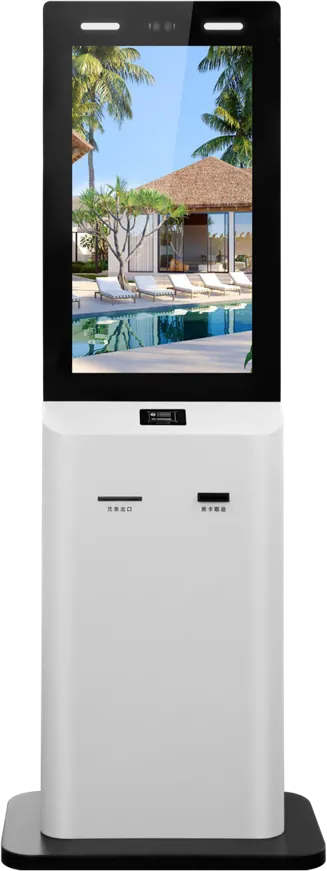
Our 32″ payment kiosk is 1810 × 550 mm and weighs 60 kg, a tall, top-heavy object. In public areas, bolt floor-standing units down. Our outdoor range offers base-plate, in-ground and portable mounting; lockers have optional casters.
5. Indoor vs outdoor kiosk enclosures
An outdoor kiosk enclosure is a different product, not an indoor cabinet with thicker paint. It has to keep out rain and dust, stay readable in sunlight and control its own temperature.
| Item | Indoor (catalog examples) | Outdoor (55″ floor-standing model) |
|---|---|---|
| Steel | Cold-rolled, powder-coated | 1.5 mm galvanized, outdoor powder coat |
| Sealing | No IP rating published | IP55, doors with outdoor rubber gaskets |
| Glass | Tempered, explosion-proof | 6 mm high-transmittance tempered; AR laminated option |
| Brightness | 350 nits (indoor signage) | 1,500 nits, automatic brightness |
| Cooling | Fans and vents | Temperature-controlled airflow, high-temperature cut-off, low-temperature heating |
| Operating range | 0 to 50 °C (indoor signage) | −30 to +50 °C |
| Power protection | Not listed | Industrial PSU, three-stage lightning protection, leakage breaker |
Use the outdoor build for any kiosk exposed to rain or direct sun, even under a canopy if sun reaches the screen. The outdoor digital signage guide covers brightness and cooling in detail.
6. Branding on the enclosure
Branding on a kiosk cabinet costs little and is the most common OEM request. The catalog options are:
- Logo printed or engraved on the housing
- Logo light box on signage, or a signage header on top of a kiosk
- LED ticker for scrolling text on outdoor and transit displays
- Ambient light strip, as on the unattended AI terminal
- Cabinet color in your brand RAL, wood or metal trim, and printed artwork
Send vector logo files and state the size and position on a drawing. A light box or header adds height and needs power inside the cabinet, so include it before the structure drawing, not after. See OEM for the full list.
7. From sketch to approved enclosure
The factory turns your sketch into an approved enclosure in six steps: brief and quote, solution and contract, industrial design, software and hardware, sample and testing, ship and support. The full workflow is on the process page.
For the enclosure, the design step is where the cabinet structure, finish and branding are drawn and approved by you. A short brief is enough to start: where the kiosk stands, what users do on it, screen size, quantity and market. Sketches, reference products or photos of a competitor help; drawings can be protected under an NDA.
| You approve | Before | Check on the enclosure |
|---|---|---|
| Proposal and price | Contract | Material, finish, modules and mounting listed in writing |
| Drawings and renderings | Structure and tooling | Dimensions, cut-outs, door side, logo position, color code |
| Software build | Sample assembly | Screen layout matches the glass opening and bezel |
| Physical sample | Mass production | Color, gaps, door fit, every module working, airflow under load |
| Packing list and photos | Shipping | Finish undamaged, packing protects glass and corners |
Mass production starts only after your written approval of the sample, and the approved sample becomes the inspection reference. Ownership of a custom design is agreed in the contract before development. Samples, inspection and payment terms are covered in the sourcing guide.
8. Tooling and what drives enclosure cost
Sheet metal kiosk enclosures usually need little or no hard tooling, which is why custom cabinets are possible at low volumes. As a general rule, sheet metal is laser-cut and bent with standard tools; dedicated dies or moulds are needed mainly for stamped, cast or plastic parts, or when volumes justify them.
In our terms: standard models need no tooling, OEM changes usually need none, and ODM tooling is quoted per project. Standard cabinets reuse existing sheet-metal tooling; a new shape needs new drawings and sometimes tooling.
What moves enclosure cost, in general:
- Shape and part count: curves, many panels and welds take more labour than a simple box.
- Material: galvanized steel, sealing and cooling for outdoor use cost more than an indoor cold-rolled cabinet.
- Glass: size, thickness and AR or laminated grades.
- Finish: two-tone paint, sand-blasting, printed artwork and trim add steps.
- Add-ons: light boxes, headers, LED tickers, light strips, payment brackets.
- Weight and packing: a heavier steel cabinet or a wooden crate raises freight.
The kiosk cost breakdown shows how the cabinet compares with screen, platform, peripherals and software.
9. Examples from the catalog
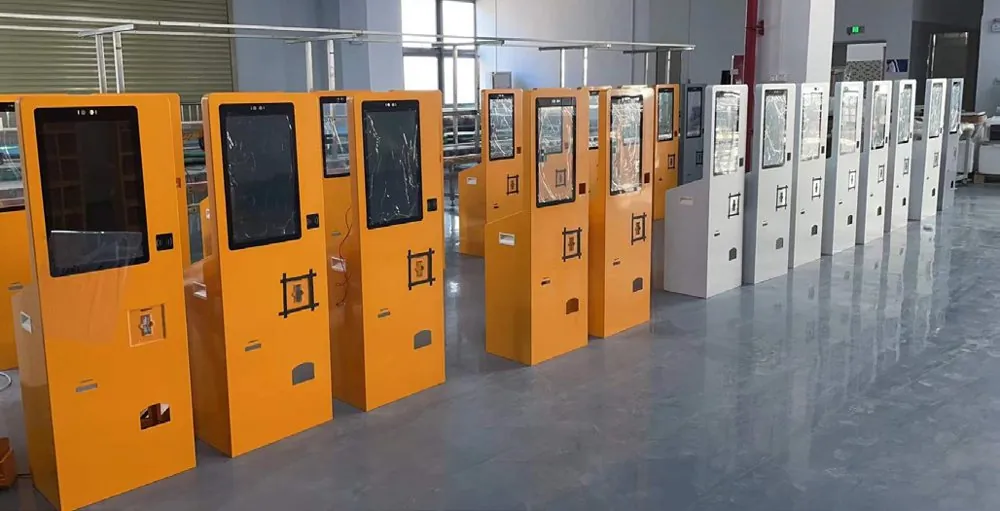
- Yellow kiosk batch: a custom-color batch photographed before packing on our factory page. Custom-color batches run on the same lines as standard models; only the paint changes.
- Card dispenser kiosk: the hotel self check-in kiosk holds face camera, ID reader, 80 mm printer and automatic card issue and recycling. Its options include card dispenser type and capacity, cabinet color and hotel logo, so the front panel is drawn around the dispenser you choose.
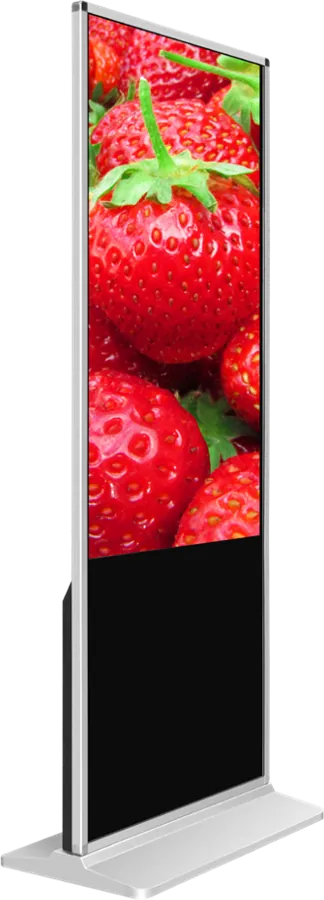
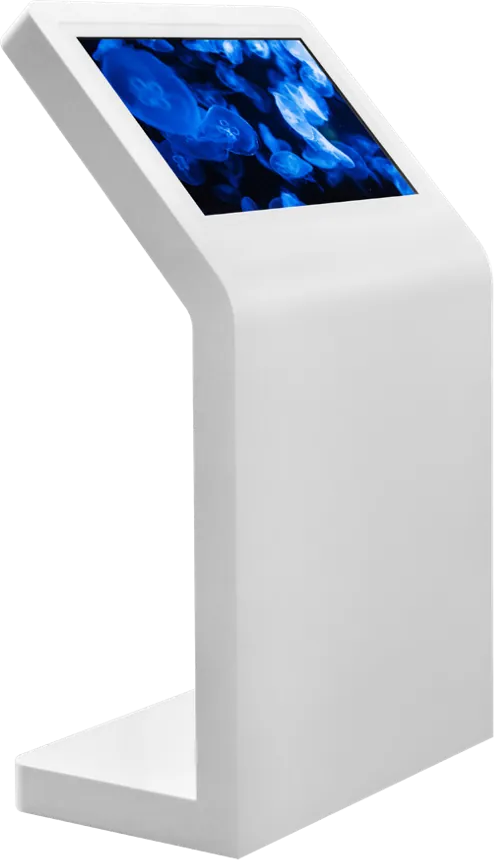
- Wood-base signage: floor signage on a wood base, one of five finishes shown on our homepage. The tilted kiosk with wood trim pairs a white body with wood-grain or metal trim.
- Sand-blasted outdoor terminal: the unattended AI terminal uses a sand-blasted, rust-proof sheet-metal body with an ambient light strip.
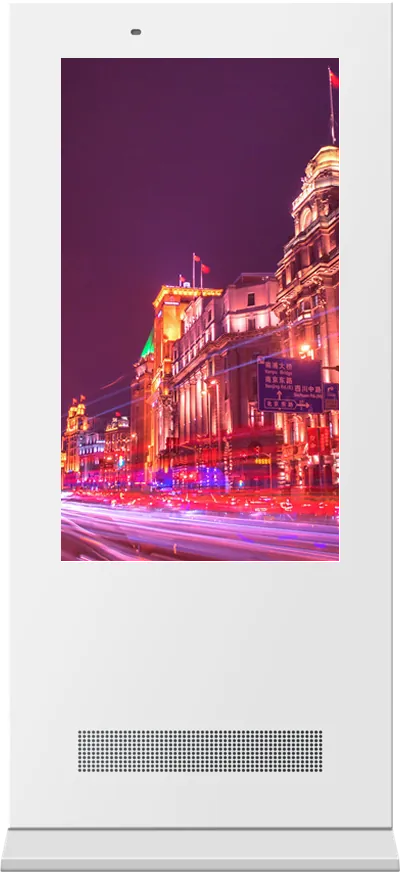
- Galvanized outdoor cabinet: the 55″ outdoor signage is 2100 × 850 × 220 mm in 1.5 mm galvanized steel sealed to IP55.
- Cold-rolled cabinet with fan cooling: the queue ticket kiosk.
Installed kiosks are on the projects page.
10. Enclosure checklist for your RFQ
| Item | What to specify |
|---|---|
| Location | Indoor, covered or outdoor; sun, rain, temperature range |
| Form | Floor-standing, wall-mount or countertop; overall size limits |
| Screen | Size, orientation, touch type, glass type |
| Modules | Exact printer, scanner, reader, dispenser, camera and payment terminal models |
| Material | Cold-rolled or galvanized steel; sheet thickness; trim |
| Finish | Powder coat, RAL code, gloss, sand-blasting, two-tone |
| Service | Door side, lock type, who opens what |
| Mounting | Base plate, in-ground, wall bracket or casters |
| Branding | Logo method and position, light box, header, LED ticker |
| Certification | Target market and required marks |
Send it with your sketch through the contact page. Test reports for our base models are on the certificates page.
11. Common mistakes
- Approving drawings before the printer, reader or payment terminal model is fixed.
- Putting an indoor cold-rolled cabinet outside, or under a canopy where sun reaches the screen.
- Approving color from a screen image instead of a painted sample.
- One door for everything, so staff who refill paper can reach the mainboard.
- No airflow plan for a sealed cabinet with a printer and a bright panel.
- Adding a light box or header after the structure drawing is approved.
- Leaving tall floor-standing units unanchored in public areas.
Frequently asked questions
What material is a kiosk enclosure made of?
Our indoor kiosk cabinets are cold-rolled steel with powder coating and baked paint in a custom color. Outdoor cabinets use 1.5 mm galvanized steel with outdoor powder coat, sealed to IP55. Aluminium is used for slim frames and bases, and tempered glass protects the screen.
Can a kiosk enclosure be made in our brand color?
Yes. Cabinets can be powder-coated in any RAL shade, with wood-grain or metal trim, a printed or engraved logo and a logo light box or header. Approve the color on a painted sample, not on a screen.
Does a custom kiosk enclosure need tooling?
Usually not for OEM changes such as color, logo and cut-outs, because standard cabinets reuse existing sheet-metal tooling. A new cabinet shape under ODM needs new drawings and sometimes tooling, which is quoted per project.
What makes an outdoor kiosk enclosure different?
Our outdoor cabinet uses 1.5 mm galvanized steel, IP55 doors with rubber gaskets, 6 mm tempered glass, a 1,500-nit panel, temperature-controlled airflow with low-temperature heating and three-stage lightning protection, for −30 to +50 °C.