Hotel self check-in kiosk buying guide: hardware, PMS integration and room keys
Short answer: A hotel self check-in kiosk has four jobs: identify the guest, take payment or a deposit, issue a room key, and write everything back to the property management system (PMS). Choose the hardware around those four jobs. In practice, the PMS integration and the key encoder decide whether a kiosk works far more than the screen size does.
- A check-in kiosk must verify the guest, take payment, issue a key and update your PMS.
- PMS integration and the room-key encoder decide success more than screen size does.
- Card data should stay inside a certified payment terminal, not the kiosk software.
1. What a check-in kiosk actually does
Map the guest journey before choosing hardware. A typical flow:
- Find the booking by confirmation number, name, QR code or ID document.
- Verify identity: scan the passport or ID card, and match the face to the document photo where required.
- Take payment or a deposit through a payment terminal.
- Encode and dispense the room key card.
- Print a receipt or registration slip; at check-out, collect the card and close the folio.
Each step needs a hardware module and a matching integration. Remove a step only if your hotel truly does not need it.
2. Choose the form factor
| Format | Best for | Notes |
|---|---|---|
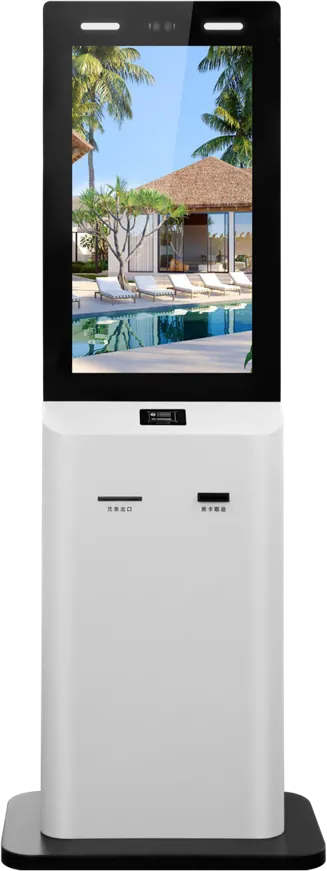
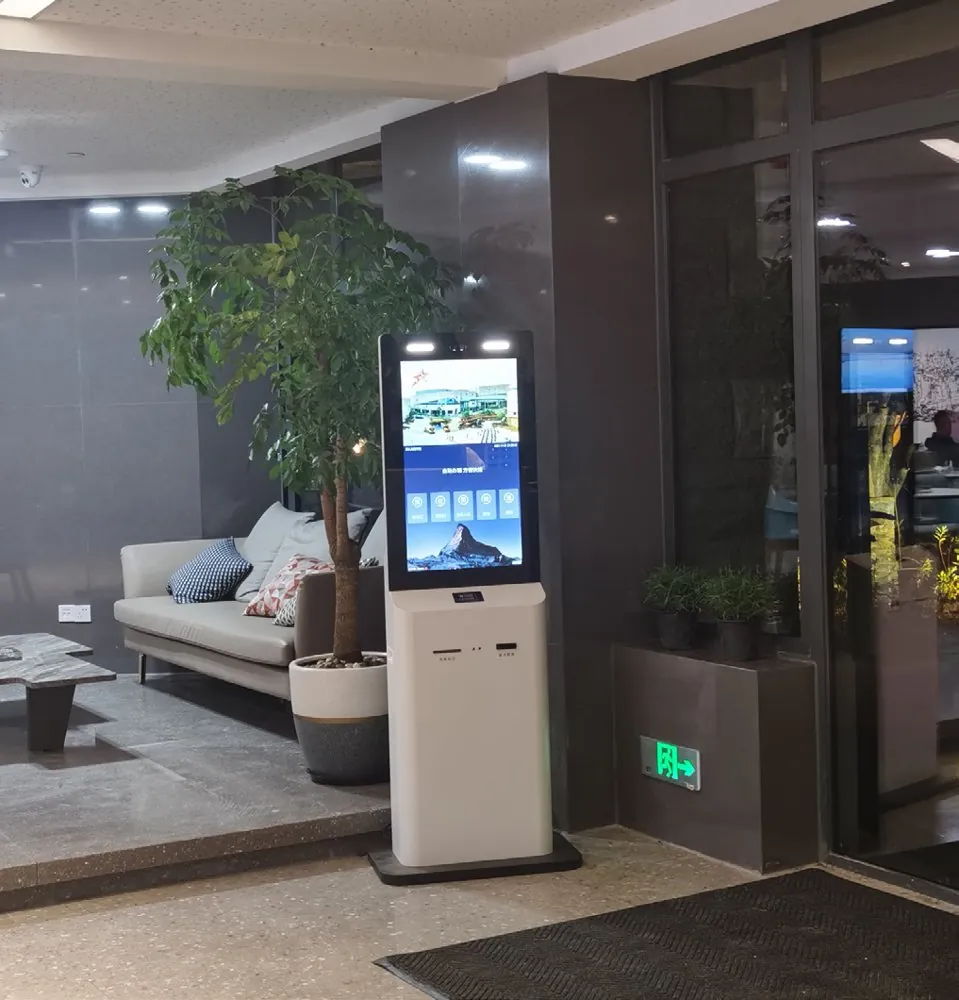
| Floor-standing (e.g. 21.5″) | Lobbies with space and queues at peak times | Room for card dispenser, recycling bin, printer and payment terminal |
| Countertop (e.g. 15.6″) | Small hotels, apartments, reception desks | Staff can assist; smaller card capacity |
| Wall-mounted | Narrow entrances, 24/7 unstaffed sites | Check wall strength and cable routes |
Our floor-standing check-in kiosk combines a capacitive touch screen, binocular face camera, ID reader, 80 mm thermal printer and automatic card dispensing and recycling; the 15.6″ desktop version suits reception desks.
3. Identity verification
- Document reader: reads passports and ID cards; choose one that supports the documents your guests carry.
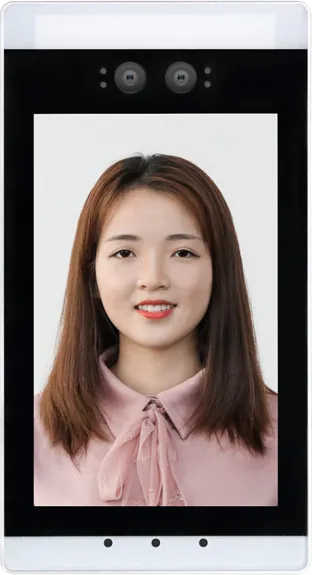
- Face match: a binocular camera with live detection compares the guest with the document photo and resists photo spoofing.
- Local rules: guest registration requirements differ by country. Confirm what data you must capture and how long you may keep it.
4. Room keys
The card dispenser holds blank cards and an encoder writes the room access data. The encoder must be compatible with your door-lock system, so give the factory the lock brand and card type before quoting. A recycling slot lets guests return cards at check-out. If you use mobile keys, the kiosk can still serve guests who prefer a physical card.
5. Payment and deposits
Mount a certified payment terminal inside the cabinet and let it handle card data; the kiosk software only receives the payment result. This keeps card data out of the kiosk and simplifies compliance. Confirm that the terminal supports pre-authorization if you take deposits, and tell the factory the exact terminal model so the bracket and cut-out fit.
6. PMS integration
The kiosk must read reservations and write back check-in status, room assignment, payments and key issue. Integration is done through your PMS vendor’s interface or a middleware provider. Decide early who builds and maintains it — the PMS vendor, a software partner, or the kiosk supplier — and test it on the sample with real reservations.
7. Software and guest experience
- Offer the languages your guests speak and large, clear buttons.
- Keep controls within easy reach for seated and standing guests.
- Add a timeout that clears personal data when a guest walks away.
- Keep a help button or video call option and a staff member nearby at peak times.
8. Specification checklist
| Item | Decide |
|---|---|
| Screen | Size, capacitive touch, portrait or landscape |
| Platform | Android or Windows, depending on the check-in software |
| Identity | Passport/ID reader model, face camera with live detection |
| Keys | Card dispenser capacity, encoder compatible with your locks, recycling slot |
| Payment | Terminal model, pre-authorization support |
| Printer | 80 mm thermal for receipts or registration slips |
| Integration | PMS name and version, who builds the interface |
| Cabinet | Floor, desktop or wall; color and logo |
9. How many kiosks do you need?
Size the installation for your busiest hour, not the daily average. The factors that matter:
- Arrival peaks — tour groups, flight arrivals and late-afternoon check-in windows.
- Share of guests who self-serve — business travellers adopt kiosks faster than families or groups.
- Transaction length — passport scanning and face matching take longer than a QR-code check-in.
- Redundancy — with two or more kiosks, one fault never stops self check-in completely.
Many hotels start with one or two units next to the front desk, measure use for a few weeks, then add more.
10. Security and guest privacy
- Use a lockable cabinet so the card stock, printer and computer cannot be opened by guests.
- Do not store document images or face data on the kiosk longer than the law and your policy allow; send them to the PMS or delete them.
- Position the screen so people in the queue cannot read the guest’s details, or fit a privacy filter.
- Lock the device in kiosk mode and apply software updates remotely.
11. Daily operation and maintenance
A check-in kiosk has consumables. Assign someone to refill blank key cards and thermal paper, empty the card recycling bin and wipe the touch screen. Ask the supplier which parts wear out first — usually the printer mechanism and the card dispenser — and keep spares on site. Remote monitoring that reports low paper or a jammed card saves a lot of guest frustration.
12. Run a pilot before rolling out
Install one kiosk at one property first. Test real check-ins with your PMS, locks and payment terminal, collect guest and staff feedback, and fix the flow before ordering for every hotel. The pilot unit also becomes the approved reference for the volume order.
Common mistakes
- Buying hardware before confirming PMS and lock compatibility.
- Choosing a document reader that cannot read your guests’ passports.
- Letting kiosk software handle raw card data.
- No plan for refilling cards and printer paper.
Frequently asked questions
What does a hotel self check-in kiosk need to do?
Find the booking, verify the guest’s ID (and face where required), take payment or a deposit, encode and dispense a room key, and update the PMS.
Will a check-in kiosk work with our door locks?
Only if its card encoder supports your lock system. Give the supplier your lock brand and card type before ordering so the right encoder is fitted.
Who integrates the kiosk with our PMS?
Usually the PMS vendor, a middleware provider or a software partner using the PMS interface. Agree who builds and maintains it before ordering hardware.