Interactive touch tables and smart mirrors: a buying guide
Short answer: An interactive touch table is a piece of furniture whose top is a touch screen under tempered glass, so guests can browse, order or play while seated or standing around it. A smart mirror puts a display behind mirror glass for fitness classes or virtual fitting. Choose in this order: posture and height, the software it runs, the glass and frame, then the finish. This guide uses the specifications in our catalog and says plainly where the catalog is silent.
- Pick the format by posture: a coffee table for seated guests, a dining-height table for ordering, a pedestal table for standing visitors, a mirror for full-length use.
- Our tables use explosion-proof tempered glass that resists heat, water and scratches, run Android or Windows, and loop ads or images when nobody touches them.
- Choose a table when several people share one screen for minutes; choose a standing kiosk when one person looks something up and walks on.
- Table height, size, frame color, logo and software are made to order, so put them in the RFQ together with the touch-point count and the app you will run.
1. What an interactive touch table is
An interactive touch table, also called a smart table display or touch screen coffee table, is a commercial display built into a table top. People use it face-up, from the sides, often several at a time. A smart mirror is the vertical cousin: a full-length mirror with a screen behind the glass, so users see their reflection and on-screen content at once.
MJK, the factory behind DisplaySourcing, lists four formats on the smart tables and mirrors page:
- Touch coffee table: low table for lounges and seating areas.
- Restaurant ordering table: dining-height table for ordering and games at the table.
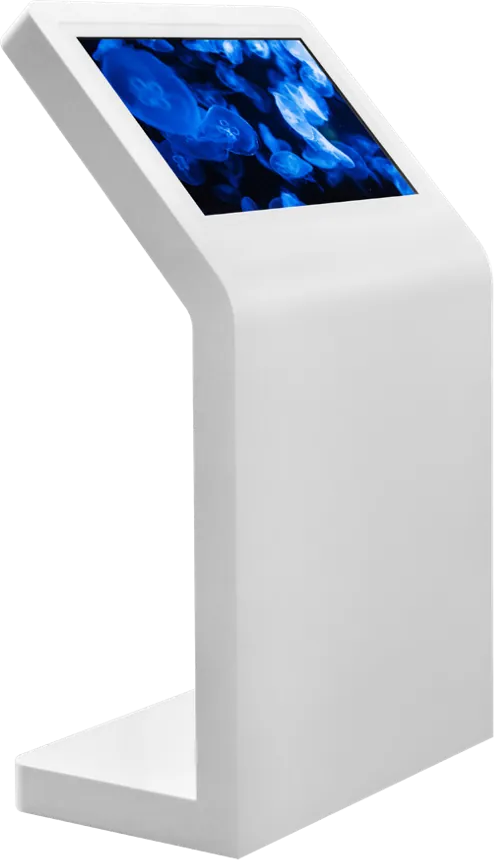
- Pedestal touch table: a tilted top on a single pillar at standing height.
- Smart fitness and fitting mirror: HD mirror display with 10-point capacitive touch.
The brochure lists the table features as: HD touch screen, responsive touch, high-strength explosion-proof tempered glass, heat-resistant, waterproof and scratch-resistant design, good corrosion resistance, a choice of PC (Windows) or Android, automatic looping of ads and images, and support for entertainment software.
2. Where touch tables and smart mirrors are used
Touch tables go where people sit or gather and have a few minutes to spare. Our catalog names these sites:
- Hotel lobbies, VIP lounges and airport lounges: local maps, hotel services and brand content. See hotels.
- Showrooms, sales centers and car dealerships: product catalogs and configurators that a salesperson and a buyer look at together. See retail.
- Cafés, bars, hot-pot and theme restaurants: ordering, menus and games at the table. See restaurants and QSR.
- Exhibitions and events: check-in and interactive content, with optional NFC or a camera on the pedestal table.
- Homes, gyms and studios: fitness mirrors with coached courses.
- Apparel stores: fitting mirrors running fitting-room software.
As general practice, buyers also put touch tables in museum galleries, bank VIP rooms and waiting areas, anywhere a seated guest benefits from browsing instead of queuing at a counter.
3. Compare the four catalog models
The main difference between the models is height and posture. The table below uses only what the catalog states for each model.
| Model | Height / posture | Top and frame | System | Typical sites |
|---|---|---|---|---|
| Interactive touch coffee table | Low table, seated | Explosion-proof tempered glass; heat-, water- and scratch-resistant; corrosion-resistant frame | Windows or Android | Hotel lobbies, VIP lounges, showrooms, sales centers, cafés |
| Restaurant ordering table | Dining height, seated | Rounded white body; explosion-proof tempered glass top | Android or Windows | Hot-pot, casual-dining and theme restaurants, bars |
| Pedestal touch table | Standing height, tilted top | Single pillar on a brushed metal base; explosion-proof tempered glass | Android or Windows; NFC or camera optional | Brand showrooms, hotel and airport lounges, event check-in |
| Smart fitness and fitting mirror | Full-length, standing | HD mirror display; 10-point capacitive touch | Android | Home fitness, gyms and studios, apparel fitting rooms |
The catalog does not fix screen sizes or table dimensions for this line; size, height and color are made to order. State the screen size and the outer dimensions you need, and we confirm the panel and cabinet drawing.
4. Touch table vs standing touch kiosk
Choose a table when a small group shares one screen for several minutes; choose a standing kiosk when one person looks something up and walks on. A kiosk is built for quick, single-user lookups in a corridor or entrance; a table is built for dwell time.
| Item | Touch table | Standing touch kiosk |
|---|---|---|
| Users at once | Several, around the top | Usually one |
| Posture | Seated, or standing at a pedestal | Standing |
| Session | Minutes: browsing, ordering, games | Seconds to a minute: a map or a lookup |
| Footprint | Replaces a piece of furniture | Small base in a walkway |
| Content | Catalogs, menus, multi-user apps | Wayfinding, directories, notices |
| Our range | Smart tables and mirrors | Interactive touch kiosks |
The pedestal table sits between the two: standing height, but a near-horizontal top that several people can gather around. For wayfinding and directory kiosks, read the touch screen kiosk buying guide.
5. Screen, touch and operating system
Specify the screen size, the number of touch points and the OS together, because they decide the panel, the board and the software you can run. Here is what our catalog states:
- Screen: HD touch screen on the tables; HD mirror display on the mirror.
- Touch: 10-point capacitive on the mirror. The catalog does not state a touch-point count for the tables, so write the number you need in the RFQ.
- System: Windows or Android on the tables; Android on the mirror.
- Options: NFC or a camera on the pedestal table.
As general guidance, a multi-touch table that several people use at once needs enough touch points for every hand on the screen; ask for at least 10 points and test the sample with four people touching at the same time. Windows suits PC software you already own, such as a 3D product configurator; Android suits a single app that boots straight into kiosk mode. The Android vs Windows guide covers the trade-offs.
6. Software and content
The software decides whether guests use the table or put their cups on it. Our tables loop ads or images automatically when idle and support entertainment software; the restaurant table runs ordering and game apps. You have three routes:
- Your own app: an Android APK or Windows program that we pre-install and test before shipment. For ordering tables, this is usually the app that already talks to your POS or kitchen system.
- A web app: your catalog or menu site opened full screen in a locked browser.
- Idle content only: ads and images pushed from a publishing system. The digital signage CMS guide explains scheduling and remote updates.
Design for a table, not a phone. As general guidance: people approach from every side, so avoid text that is readable from one edge only, or let each user rotate their own panel. Keep touch targets large, let two or more people work in separate areas, and return to the attract loop after a set idle time. Typical content: product catalogs and configurators in showrooms, property and floor plans in sales centers, menus and simple games in cafés, and hotel guides in lounges.
7. Furniture-grade design: height, glass, edges, cables, cleaning
A touch table is judged as furniture first and as a screen second. Our catalog specifies the glass and the frame; the points below are general guidance for the rest.
- Glass: high-strength explosion-proof tempered glass that resists heat, water and scratches. Drinks and plates can sit on it, which matters in cafés and restaurants.
- Height: match the seating. Coffee tables pair with sofas, dining tables with dining chairs, and the pedestal table with standing users. Give us the seat height and we set the table height.
- Edges: rounded corners, like the white restaurant table, protect hips and children in busy rooms. Ask for no sharp metal edges at knee or hip height.
- Legroom and heat: the screen and board sit under the top. Check the legroom under the table and keep ventilation openings clear of knees and bags.
- Cables: plan one power cable, and Ethernet if used, through a leg or the pillar to a floor box. A cable across a walkway is a trip hazard and a cause of unplugged tables.
- Frame: the coffee table frame is corrosion-resistant; the pedestal base is brushed metal. Both suit wiping with damp cloths.
- Cleaning: wipe the glass with a soft cloth and a cleaner your staff can use daily; avoid abrasives. Clean with the screen off or in a cleaning mode, so wiping does not trigger touches.
8. Smart fitness and fitting mirrors
A smart mirror is an Android display behind mirror glass; the software decides whether it is a fitness mirror or a fitting mirror. The brochure lists these features:
- 10-point capacitive touch screen and HD mirror display
- Android operating system
- Smart fitness use with a varied course library and refined exercise programs
- A professional coach on screen to train along with, suitable for all age groups
- Immersive audio and video
- Support for fitting-room software in apparel stores
- Custom color and size
The brochure photo shows the mirror on a free-standing frame, and it includes photos of the mirror production line. It does not state screen size, brightness or camera specifications, so the course content, any motion tracking and the screen size are items to define in your RFQ. Gyms and home-fitness brands usually supply their own course app; apparel stores supply their fitting software. We pre-install and test either one.
9. OEM finishes: wood, metal and color
Touch tables sit in designed interiors, so the finish matters as much as the screen. The catalog lists these customization items for the line:
- Table size, height and frame color
- Pillar height and top angle on the pedestal table; base finish and color
- Mirror size, frame material and frame color
- Ordering, game, catalog, fitness or fitting software
- Logo printing
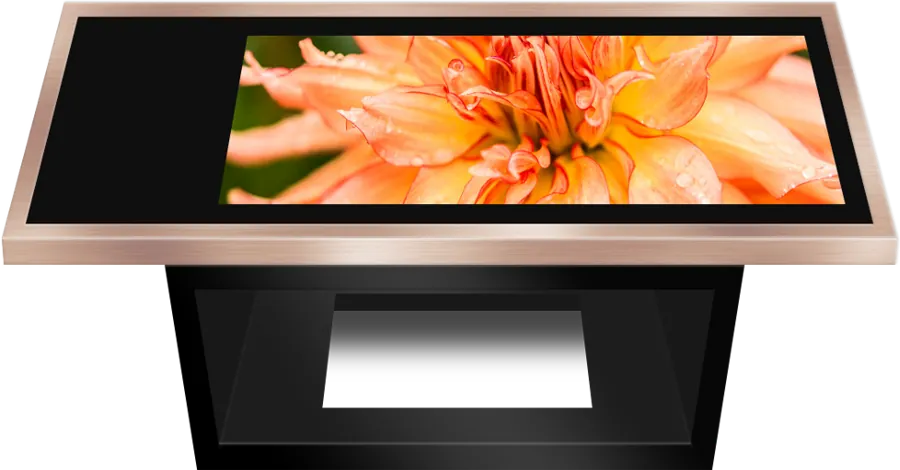
The brochure shows the tables in a white rounded body, a black frame with metallic trim and a brushed metal pillar, and states that multiple colors and styles are made to order. For wood-grain or other materials that match a hotel or showroom interior, send a photo or a color sample. Our Made-in-China.com store lists an MOQ of 1 piece per listed product, which suits one sample table before a full fit-out. See OEM service, and OEM vs ODM if you plan to sell under your own brand.
10. Specification checklist for your RFQ
| Item | What to specify |
|---|---|
| Format | Coffee table, dining-height table, pedestal table or mirror; quantity |
| Size | Screen size, outer dimensions, table height or pillar height and top angle |
| Touch | Number of touch points; number of people using it at once |
| System | Android or Windows; the app or web address to pre-install |
| Integration | POS, kitchen or booking system, with interface documents |
| Options | NFC or camera (pedestal table) |
| Finish | Frame color and material, base finish, logo, boot screen |
| Site | Seating height, floor box position, Ethernet or Wi-Fi, plug type and voltage |
| Idle content | Ads or images to loop, and who updates them |
Send the checklist through the contact page. The sourcing guide covers samples, inspection and shipping.
11. Common mistakes
- Buying a table for a quick-lookup spot where a standing kiosk would serve better.
- Ordering the hardware before the multi-user app exists, then running a phone-style app that only reads from one edge.
- Not stating the touch-point count, then finding that two guests cannot use the table at once.
- Setting the table height without knowing the chairs or sofas it goes with.
- No floor box for power, leaving a cable across the walkway.
- Choosing the finish from a screen image instead of a physical color sample.
- Expecting a smart mirror to arrive with fitness courses without agreeing who supplies the course app.
Frequently asked questions
Can drinks and plates go on an interactive touch table?
Yes. The top is high-strength explosion-proof tempered glass that resists heat, water and scratches, which is why the tables suit cafés, restaurants and hotel lounges.
Should I choose a touch table or a standing touch kiosk?
Choose a table when several people share one screen for minutes, seated or around a pedestal. Choose a standing kiosk for quick single-user lookups such as wayfinding.
Which operating system do the touch tables run?
Windows or Android on the tables, Android on the smart mirror. We pre-install your app or web page and test it before shipment.
Can the same smart mirror be used for fitness and virtual fitting?
Yes. The hardware is the same Android mirror with 10-point capacitive touch; fitness course software or fitting-room software decides its use.