Desktop check-in terminal
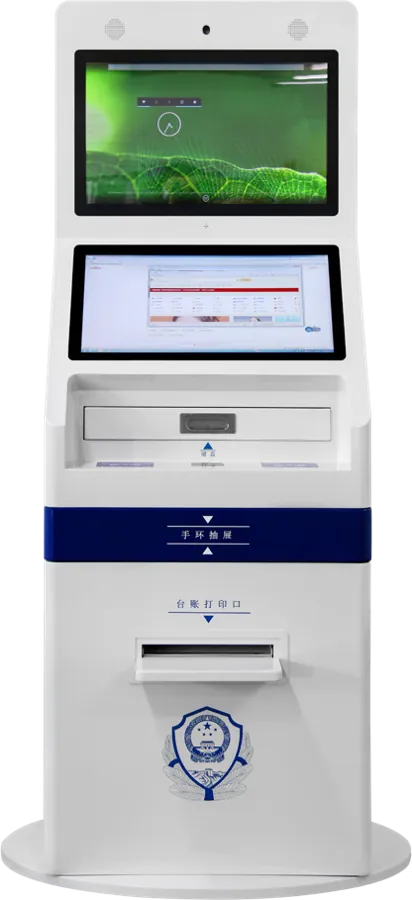
The desktop check-in terminal is a 15.6″ countertop kiosk that sits on the reception desk and handles check-in, checkout and payment by face recognition plus ID document. It integrates a binocular HD camera, a new-generation ID/IC card reading module, receipt printing and automatic room-card issuing, with guest data counted automatically in the back office.
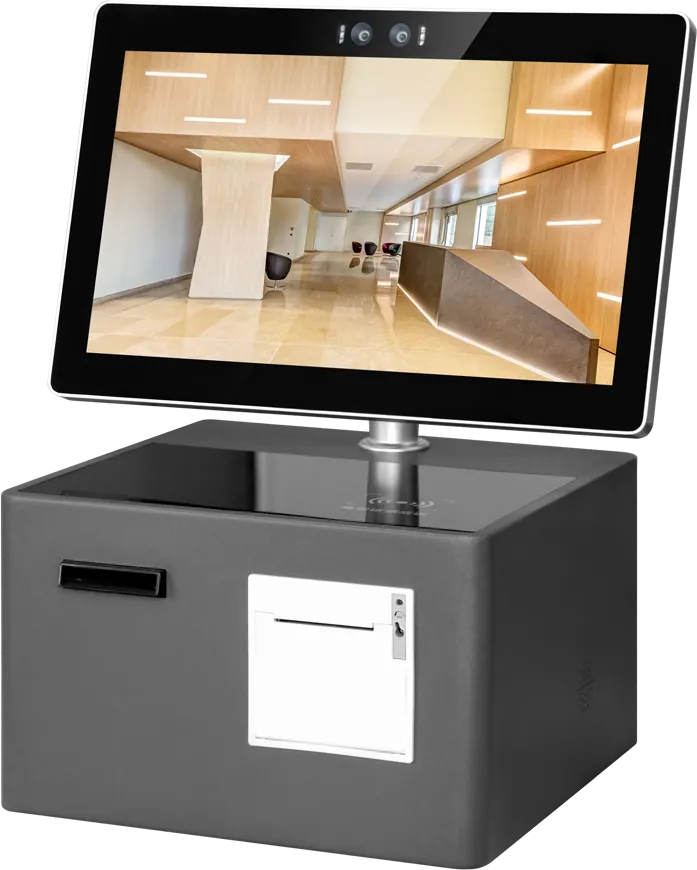
Specifications
| Screen | 15.6″ touch screen |
|---|---|
| Format | Countertop |
| Camera | Binocular HD camera |
| Card reading | ID / IC card module |
| Output | Receipt printing and automatic card issuing |
| Software | Self check-in, checkout and settlement; back-office statistics |
Specifications are from the factory catalog and may change with configuration. Ask for the current spec sheet.
Key features
- Countertop format for reception desks
- Binocular camera and ID/IC reader
- Receipt printing and card issuing
- Back-office data statistics
Typical installations
- Boutique-hotel reception counters
- Budget-hotel front desks with one staff member
- Guesthouses and apartment receptions
Commonly customized
- ID or passport reader for your market
- Printer and card module
- Housing color and logo
- Software linked to your PMS
Frequently asked questions
Used in
Related buying guides
Export certifications for kiosks and digital signage: CE, FCC, RoHS, UL and more
Queue management systems: a buying guide to ticket kiosks, calling displays and counters
Custom kiosk enclosure design: materials, finishes, structure and approval
When should I choose the desktop terminal over the standing kiosk?
Choose the desktop version when lobby space is limited or staff stay at the counter to assist; the standing kiosk suits unattended lobbies.
What does the back office record?
Guest check-in data is counted automatically in the back office, so staff can review daily volumes without manual logs.
Quote: Desktop check-in terminal
Send a size, a sketch or a reference model. You get a spec sheet and factory price from an engineer, usually within one working day.
To get an accurate quote, tell us
- Product type and screen size
- Quantity and target market
- What to customize — logo, color, peripherals, software
- Your timeline
- Reply from an engineer within one working day
- Spec sheet and factory price, not a sales script
- Drawings can be protected under NDA