Smart lockers: a buying guide to parcel, storage, vending and charging cabinets
Short answer: A smart locker is a steel cabinet with electronically locked compartments, a touch screen and a controller that opens a door after it verifies a face, code or barcode. Choose it in this order: what the cabinet has to hold, how users prove who they are, which software runs it, and what power and network the site provides. This guide uses the real specifications of our four catalog cabinets so you can compare quotes on concrete numbers.
- Pick the cabinet by its job: parcels and documents, personal storage, selling goods, or charging phones.
- Our parcel locker pairs a 2 MP binocular face camera with liveness, a 1D barcode reader and an A4 printer on an RK3399 Android board.
- Compartment size, count and layout are drawn per order; write down the largest item each door must take.
- Software, network and power decide the project: back-office reports, your platform interface, 4G or Ethernet, and the mains supply at the site.
1. What a smart locker is and the four types we build
A smart locker replaces a staffed counter or a key cabinet. A user stands at the screen, proves who they are, and the system sends a signal to the electronic lock of one compartment, which pops open. Every opening is logged in the back office.
MJK, the factory behind DisplaySourcing, added smart lockers and their back-office software to its range in 2019, next to face recognition terminals. The current smart lockers and vending line has four cabinets that share the same touch-screen and Android platform:
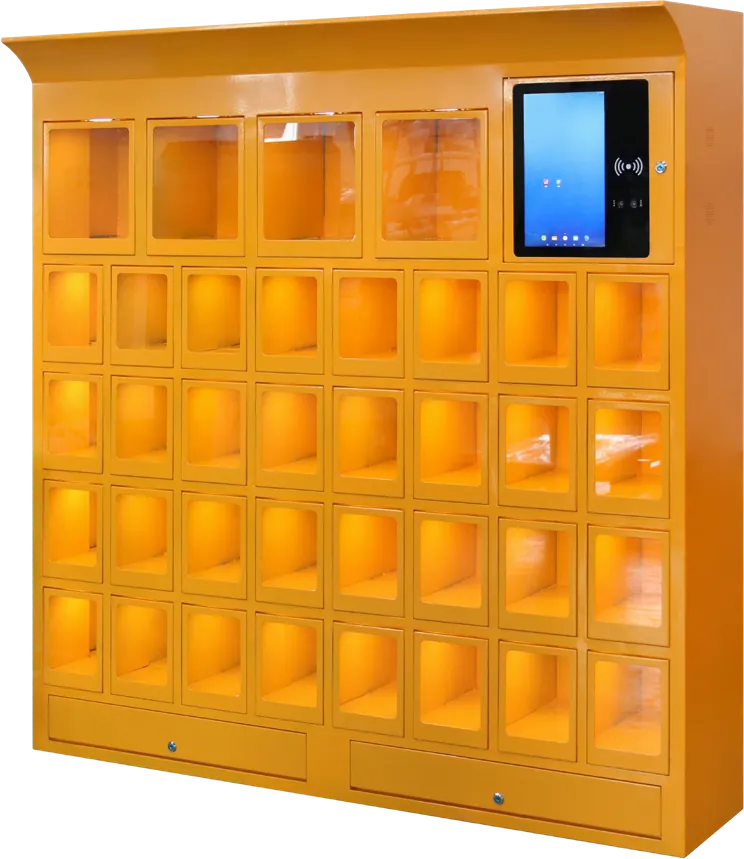
- Smart parcel and storage locker: parcels, documents and temporary storage, with face camera, barcode reader and A4 printer.
- Face recognition storage locker: food delivery, supermarket bags, gym and spa clothing, staff phones and bags.
- Touch-screen vending machine: a refrigerated cabinet that sells snacks and drinks by QR payment.
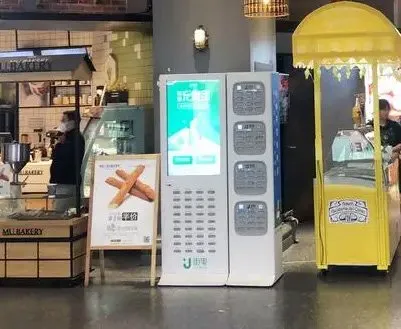
- Phone charging cabinet: 24 or 36 locked charging bays under a 43″ advertising screen.
2. Choose the cabinet by the job it does
Start with what goes into the compartments and who takes it out. That decides the cabinet type, the doors and the software.
| Job | Cabinet | Who uses it | What to check first |
|---|---|---|---|
| Parcels and document drop-off | Smart parcel and storage locker | Couriers drop, residents or staff collect | Compartment sizes vs. parcel sizes; courier platform link |
| Food delivery pickup | Face recognition storage locker | Riders drop, office staff collect | Number of doors at lunch peak |
| Personal belongings | Face recognition storage locker | Gym, spa, pool and park visitors; factory staff | Key-free access; how long items stay |
| Selling snacks and drinks | Touch-screen vending machine | Public, staff, students | Payment methods in your market; slot layout |
| Charging phones | Phone charging cabinet | Shoppers, patients, visitors | 24 or 36 bays; ad platform |
If one site needs several jobs, keep them in separate cabinets. A parcel locker and a vending machine have different doors, cooling and payment logic; mixing them in one body makes service harder.
Also decide who owns the cabinet day to day. A building manager running a parcel locker needs open logs and a help button; a vending or charging operator needs sales reports, ad slots and remote alerts across many sites. Write that owner into the inquiry, because it changes the software scope more than the hardware.
3. Access methods: face, barcode, code, QR and card
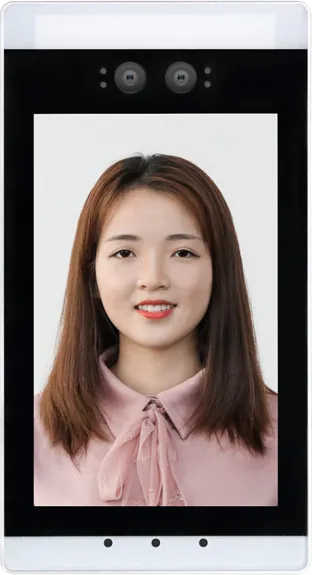
Face recognition is the key-free option: users carry nothing and the system records who opened each door. The parcel locker data sheet lists:
- 2 MP wide-dynamic-range color plus 2 MP mono binocular camera, with liveness detection, up to 1080P at 30 fps
- A separate surveillance camera on a HiSilicon 3516EV200 chip, up to 1080P (1920 × 1080)
- A high-speed 1D barcode reader with continuous reading
- Electronic lock on each compartment, controlled by the system; the door pops open automatically
Pickup code, QR code and card access are order options on our lockers. Note that the standard reader on the parcel locker is a 1D module: if your users will show a QR code on a phone, ask for a 2D scanner. The kiosk peripherals article explains the difference.
A binocular camera with liveness checks that a real face, not a printed photo, is in front of the screen. If you also plan face terminals at the building entrance, the face recognition terminal guide covers enrollment and face data rules that apply to lockers too. Always keep a code or card fallback for users who do not enroll a face.
4. Compartments, cabinet body and colors
Compartment size, count and layout are configured per order; we draw the grid with you before production. The only standard grid in our data sheets is the parcel locker:
| Compartment | Size | Count |
|---|---|---|
| Small | 35 × 10 cm | 9 |
| Large | 35 × 45 cm | 2 |
To size your own grid, list the largest item each door must hold, then how many of each size are in the cabinet at peak hour. Couriers and food riders fill lockers in waves, so count the busiest hour, not the daily average.
- Body: cold-rolled steel, powder spray plus baked paint, rust-proof, corrosion- and wear-resistant.
- Screen glass: tempered explosion-proof glass over the touch screen.
- Colors: catalog lockers are shown in orange, green, white and blue; any color and a branding wrap can be ordered.
- Mobility: the parcel locker and vending machine have casters at the base.
5. Screen, controller and back-office software
The screen is the user interface and often an ad display. The controller has to drive the camera, locks, printer and screen at the same time.
- Parcel locker: 21.5″ portrait multi-touch, 1080 × 1920; RK3399 64-bit hexa-core at 2.0 GHz, 2 GB RAM, 16 GB ROM, customized Android. The RK3288 vs RK3399 article explains why face, locks and printer together need the RK3399.
- Vending machine: 21.5″ HD capacitive touch screen.
- Charging cabinet: 43″ HD touch screen on Android.
The back office does most of the daily work. From the brochure and catalog:
- Remote monitoring and data reports for storage lockers
- Low-ink and paper-jam status read from the parcel locker printer (an ink-tank A4 printer, about 4,000 A4 pages per black ink)
- Remote publishing of video and image ads and sales data statistics on the vending machine
- Remote device management, custom ad slots, automatic reports and multi-account, multi-level permissions on the charging cabinet
Decide early whether you use our platform or connect the cabinet to your own courier, membership, payment or ad system. Send that system's interface documents with the inquiry; software integration is part of every locker quote.
6. Network, power and indoor use
| Item | Parcel locker | Vending machine | Charging cabinet |
|---|---|---|---|
| Network | 4G, RJ45, Wi-Fi, Bluetooth | Wi-Fi, wired, 4G (optional) | Built-in Wi-Fi |
| Power | AC 220 V input with leakage protector | AC 220 V, 50 Hz, 2.6 A, 430 W max when cooling | Not stated in the brochure |
| Environment | Indoor, −20 to 50 °C, 10–90% humidity | Cooling 2–20 °C | Not stated |
| Other | 2 × 5 W/8 Ω speakers, mic, external USB | Anti-theft alarm, 24 V heated anti-fog glass door | Fire-resistant shell, overload protection |
Our data sheets give no IP rating for these cabinets, so plan them as indoor equipment. If a site is under a canopy or in an open walkway, tell us in the inquiry. Ask for your country's plug and voltage, and give the vending machine its own outlet: the compressor draws up to 430 W. For sites with weak Wi-Fi, specify 4G or run Ethernet so pickups do not fail when the network drops.
7. Installation: columns, main and auxiliary cabinets, anchoring
A smart locker bank is normally one control column (screen, camera and controller) with one or more locker columns beside it. Our vending machine works the same way: main and auxiliary cabinets can be combined for more capacity. General guidance for planning the site:
- Measure the wall and the access route. The vending machine alone is 1080 × 830 × 1930 mm and weighs 300 kg net; check door widths, lifts and floor load.
- Place the screen column where users approach first, at a height most adults can reach, away from direct sunlight on the screen.
- Anchor tall cabinets to the floor or wall once in position. Casters help moving, but a locked bank of doors should not roll or tip when people pull on them.
- Leave service space to open the cabinet, reload the printer and refill vending slots.
- Bring power and network to the control column before delivery.
A photo of our charging cabinets and vending machines installed in a shopping mall is on the projects page.
8. Where smart lockers are used
- Offices and factories: lobby parcel and food-delivery lockers; staff lockers for phones, keys and bags on production floors. See offices and access control.
- Residential compounds: parcel lockers so couriers deliver many parcels in one stop.
- Gyms, spas, pools and theme parks: face recognition lockers in place of keys and wristbands. See hotels and leisure.
- Supermarkets and malls: bag storage, charging cabinets and vending machines. See retail and malls.
- Schools and campuses: vending machines and storage lockers. See education.
- Hospitals and transport hubs: charging cabinets and vending machines. See transportation.
- Government halls: document drop-off with the parcel locker.
9. Compare the catalog models
| Model | Screen / controller | Access or payment | Key specs |
|---|---|---|---|
| Smart parcel and storage locker | 21.5″ portrait touch, RK3399 Android | Face (binocular, liveness), 1D barcode; code, QR or card options | A4 printer, help button, 35 × 10 cm × 9 and 35 × 45 cm × 2, 4G/RJ45/Wi-Fi, casters |
| Face recognition storage locker | Touch screen with face camera | Face; code, QR or card options | Grid and color to order, rust-proof steel, remote monitoring and reports |
| Touch-screen vending machine | 21.5″ capacitive touch | Alipay / WeChat QR | 6 layers, 54 slots, 2–20 °C, 430 W max, 300 kg, main + auxiliary cabinets |
| Phone charging cabinet | 43″ HD touch, Android | Bay opening configured per order | 24 or 36 bays, emergency cables, fire-resistant shell, overload protection, Wi-Fi |
10. Specification checklist and OEM options
| Item | What to specify |
|---|---|
| Job | Parcels, food delivery, personal storage, vending or charging |
| Compartments | Largest item, sizes, count per size, columns |
| Access | Face, pickup code, QR (2D scanner), card type |
| Peripherals | Printer, help button, surveillance camera |
| Payment | Methods used in your market (vending, charging) |
| Software | Our platform or your system, with interface documents |
| Network and power | Ethernet, Wi-Fi or 4G; plug type and voltage |
| Site | Indoor or covered, wall length, access route, floor |
| Branding | Cabinet color, wrap, logo, boot screen, packaging |
OEM options on the locker line are the compartment grid, cabinet color and branding wrap, payment and access methods, and software integration with your platform. Read OEM vs ODM and the OEM service page before you brand cabinets for resale, and see the cost breakdown for what drives the unit price. Send the checklist through the contact page; the sourcing guide covers samples, inspection and shipping.
11. Common mistakes
- Sizing compartments by the average parcel instead of the largest one, then leaving big items at the front desk.
- Counting daily volume instead of the peak hour for food delivery lockers.
- Promising QR pickup on a cabinet with only a 1D barcode reader.
- No code or card fallback for users who do not enroll a face.
- Installing a 300 kg vending machine without checking the lift, doorway and floor.
- Leaving tall locker banks on casters without anchoring them.
- Choosing the cabinet before agreeing which software platform runs it.
Frequently asked questions
How do users open a smart locker?
By face recognition with a binocular liveness camera, or by pickup code, QR code or card as order options. After a successful check the system triggers the electronic lock and the door pops open.
Can compartment sizes and count be customized?
Yes. Compartment size, count, layout and cabinet color are made to order. Our standard parcel locker grid is nine 35 × 10 cm and two 35 × 45 cm compartments.
Can smart lockers be installed outdoors?
Our data sheets give no IP rating for the lockers, and the parcel locker is specified for indoor use at −20 to 50 °C and 10–90% humidity. Plan them as indoor cabinets and tell us if a site is only covered.
How many bays does the phone charging cabinet have?
24 or 36 charging bays, under a 43″ HD touch screen that rotates image and video ads, with a fire-resistant shell, overload protection and multi-account permission management.