Smart bus stop displays: a buying guide to e-bus stop signs and transit passenger information screens
Short answer: A smart bus stop display is an outdoor screen at a shelter that shows routes, real-time vehicle positions and arrival times next to advertising, fed from the operator's dispatch system. It is one part of a transit passenger information network that also covers screens on board, in stations and in the control room. Plan it in this order: confirm where the arrival data comes from, choose the screen for each location, specify the outdoor enclosure, then set up remote management. This guide uses the stated specifications of our e-bus stop sign, stretched bar displays and outdoor signage and marks general practice as such.
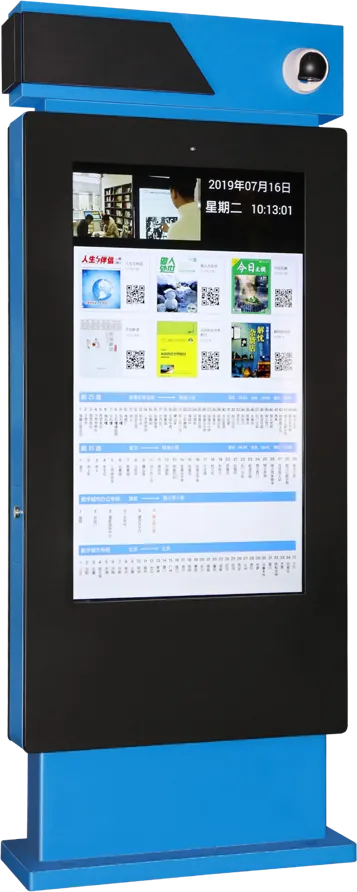
- Our e-bus stop sign shows routes, real-time positions and ETA synced to a mobile app, plays video, images and an LED ticker, and adds an infrared HD camera for platform monitoring.
- The arrival data comes from the dispatch system: vehicle GPS goes to the back office, which updates every stop sign and the app. Agree the data interface before choosing hardware.
- Inside buses and trains, stretched bar displays run on vehicle-grade power, resist shock, heat, vibration and interference, and keep playing offline from SD or USB.
- Station concourses use ceiling-hung and floor-standing signage, wayfinding kiosks and an LCD video wall in the control room; our outdoor units are rated IP55 at 1,500 nits.
1. A passenger information network, not a single screen
Passengers look for the same answer everywhere: when does my bus or train come, and where do I go. A transit project usually covers five locations, and each has its own screen:
- Street stops and shelters: arrival times, routes and advertising.
- BRT, tram and metro platforms: next departures and service notices.
- On board: next stop, route map and media.
- Station concourses and hubs: departure boards, wayfinding and ticket information.
- The control room: dispatch maps and CCTV on a video wall.
The transportation solutions page lists the configurations we build for hubs and public spaces.
2. Which screen goes where
| Location | Catalog model | What the sources state |
|---|---|---|
| Bus shelter | Electronic bus stop sign | Routes, real-time positions, ETA synced to mobile; video, images, LED ticker; infrared HD camera; outdoor temperature control; waterproof and dustproof |
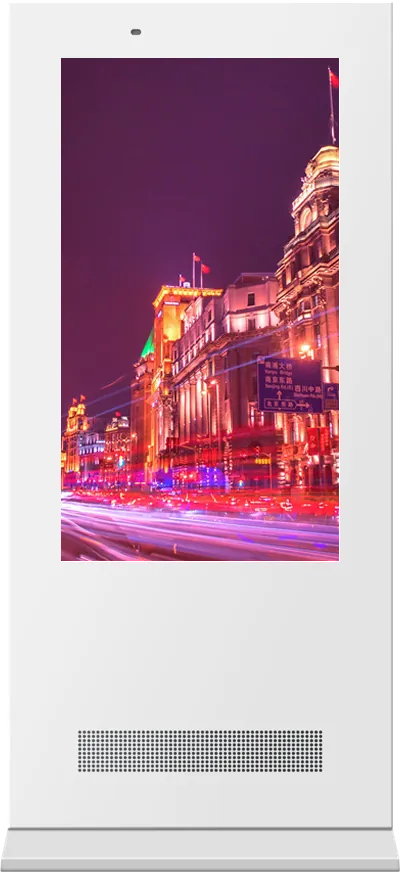
| Open stops and plazas | 55″ outdoor floor-standing signage | 1,500 nits, auto brightness, IP55, 6 mm tempered glass, −30 to +50 °C, three-stage lightning protection |
| Campus and park shuttle stops | Landscape outdoor pedestal display | Horizontal industrial LCD on a steel post, explosion-proof glass, 7×24, remote publishing across networked units |
| On board, platform edges, gates | Stretched bar display | Several lengths; split screen; cloud publishing; SD/USB offline; vehicle-grade power; shock, heat, vibration and EMI resistant; 7×24 |
| Concourses | Ceiling-hung double-sided display | 43″ 1080P or 55″ 4K, two faces with the same or different content, ≤ 80 W |
| Wayfinding and tickets | K-shaped touch kiosk or 32″ payment kiosk | 10-point touch maps and timetables; payment kiosk with QR payment, card reader/writer and receipt printer |
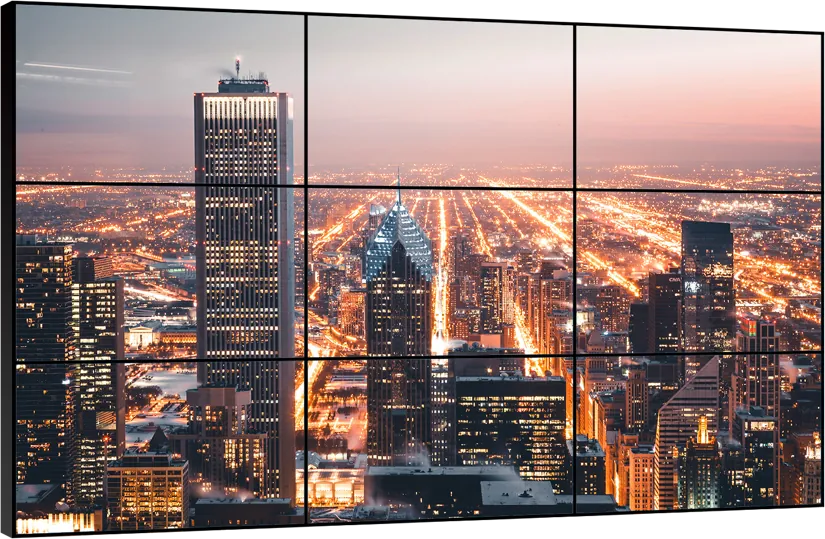
| Control room | LCD video wall | Narrow-bezel tiles for dispatch maps and CCTV |
3. The electronic bus stop sign
The electronic bus stop sign is the core of a smart bus stop. What it does, as stated in our catalog:
- Bus information: routes, real-time vehicle positions and estimated arrival times, synced with a mobile app so the stop and the phone show the same ETA.
- Media: video, images and an LED ticker in split or full screen; advertising can pay for part of the network.
- Scheduling: automatic playlists and timed insertion of notices; several power on/off periods per day; resumes after a power cut.
- Camera: an infrared HD camera streams the platform for monitoring.
- Enclosure: high-brightness HD display behind explosion-proof glass, outdoor temperature control, thickened, waterproof and dustproof body.
- Options: screen size and brightness, single or double-sided, LED ticker and light box, link to your dispatch system.
4. Where the real-time arrival data comes from
The screen only shows what the data feed gives it. Vehicle GPS positions go to the operator's back office, which calculates arrival times and pushes them to every stop sign and to the mobile app. Before you choose hardware, settle:
- The source: the operator's dispatch or fleet system, and who owns it.
- The interface: how the back office sends routes and ETAs to the signs; we connect the sign to your dispatch system as a customization.
- The fallback: what the sign shows when the feed stops, for example the timetable and a service notice.
- The connection: wired, Wi-Fi or 4G at each stop; as a general rule, budget a mobile data plan per sign where there is no fibre.
5. On board: bar displays in buses, trams and trains
Inside a vehicle, a screen must fit above windows or doors and survive the ride. The stretched bar display comes in several lengths and is stated for buses, metro cars and airport gates:
- Vehicle-grade power and resistance to shock, heat, vibration and electromagnetic interference, for 7×24 running.
- Split screen: next stop and route map in one zone, media in another.
- Cloud publishing and scheduling over Wi-Fi or Ethernet, with offline play from SD card or USB when the vehicle is out of range.
The same bar format fits platform edges and boarding gates where a full-height screen will not.
6. Stations, hubs and the control room
In a station the screens are indoors, but crowds and sight lines decide the form:
- Ceiling-hung double-sided screens above concourses, readable over crowds from both directions.
- Floor-standing signage at entrances for notices and advertising; the floor-standing guide compares sizes.
- Touch kiosks for maps and timetables, and payment kiosks for tickets and top-ups; the touch kiosk guide covers the forms.
- A video wall in the dispatch room for maps and CCTV; the LCD vs LED video wall comparison and the bezel guide help you choose.
7. Outdoor build: brightness, sealing and protection
Bus stops face sun, rain, dust and vandalism. Our transportation configuration uses a 1.5 mm galvanized-steel cabinet, 6 mm tempered glass, IP55 sealing and Wi-Fi or 4G. On the 55″ outdoor floor-standing model:
- 1,500 nits with automatic brightness, readable in daylight and dimmed at night.
- Smart direct airflow cooling, high-temperature cut-off and low-temperature heating, for −30 to +50 °C.
- Three-stage lightning protection, leakage breaker and timer.
As a general rule, ask for the brightness and IP rating of the exact configuration you order, and plan where the cable and earth connection enter the shelter. The outdoor digital signage guide goes deeper into brightness, IP ratings and heat.
8. Remote management and content
A city network has hundreds of signs and nobody on site. Plan:
- Back office: one console for all stops, with real-time station data and device status.
- Groups: by route, district or stop type, so a diversion notice reaches the right stops.
- Priority: arrival times and service alerts always above advertising.
- Monitoring: the camera stream and alerts when a sign goes offline.
The digital signage CMS guide explains B/S and C/S publishing; for campus shuttles, the digital class board guide covers screens on the same campus network.
9. Specification checklist for your RFQ
| Item | What to specify |
|---|---|
| Locations | Number of shelters, platforms, vehicles, stations; screens per location |
| Arrival data | Dispatch system, data interface, fallback content |
| Screen | Size, single or double-sided, landscape or portrait, LED ticker, light box |
| Environment | Sun exposure, temperature range, rain and dust, vandal risk |
| On board | Bar length, mounting position, vehicle power |
| Camera | Platform monitoring needed, recording location |
| Network | Fibre, Ethernet, Wi-Fi or 4G per site |
| Certification | The marks your market and operator require |
Send it through the contact page. The certification guide lists the marks by market, and OEM vs ODM explains how a custom shelter design is handled.
10. Common mistakes
- Choosing the sign before agreeing the arrival-data interface with the operator.
- No fallback content, so a blank screen appears when the feed stops.
- Indoor brightness at a sunny shelter.
- No mobile data budget for stops without cabling.
- Advertising placed above arrival times.
- Ordinary screens in vehicles, without vehicle-grade power or vibration resistance.
References and standards
Official texts behind the rules mentioned in this guide:
- IEC 60529 — the ingress protection (IP) code for enclosures
- Directive 2014/30/EU (EMC) — EU electromagnetic compatibility rules
Frequently asked questions
What is a smart bus stop display?
An outdoor screen at a bus shelter that shows routes, real-time vehicle positions and arrival times next to advertising. Ours also plays video and an LED ticker, syncs ETAs with a mobile app and has an infrared HD camera for platform monitoring.
Where does the real-time arrival information come from?
From the operator's dispatch system: vehicle GPS positions go to the back office, which calculates arrival times and pushes them to every stop sign and the mobile app.
Which screens are used inside buses and trains?
Stretched bar displays, which fit above windows and doors, run on vehicle-grade power, resist shock, heat, vibration and interference, and keep playing offline from SD or USB.
How are outdoor transit screens protected?
Our transportation configuration uses a 1.5 mm galvanized-steel cabinet, 6 mm tempered glass, IP55 sealing, 1,500-nit auto-brightness panels, smart cooling and heating and three-stage lightning protection.