Floor-standing digital signage: a buying guide to digital standees and totems
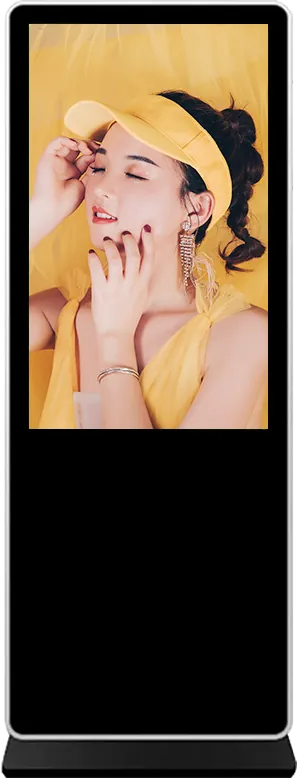
Short answer: Floor-standing digital signage is a free-standing portrait screen with a built-in media player that plays video, images and scrolling text where people walk past: mall corridors, lobbies, store entrances and event halls. Buyers also call it a digital standee, digital totem or advertising player. Buy it in this order: choose the type for the site, then the panel and size, the player and touch, the software, and finally the cabinet details. This guide uses the stated specifications of our models and marks general rules of thumb as such.
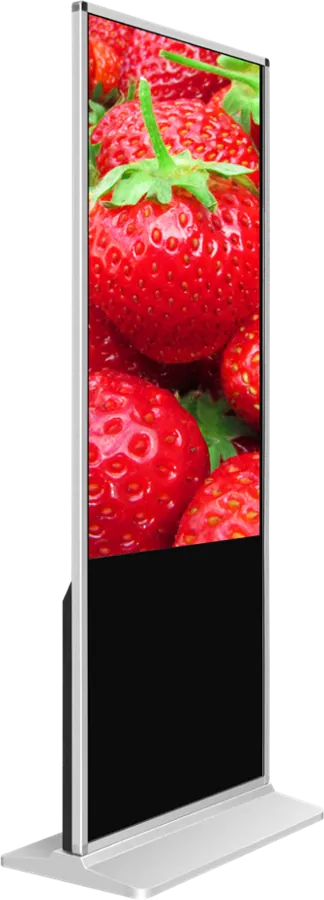
- Floor-standing digital signage, also called a digital standee or totem, is a free-standing portrait LCD with a built-in player.
- Choose the type from the site: indoor 350-nit units for malls and lobbies, A-frame posters for doors, 1,500–1,800-nit sealed units outdoors, battery models where there is no socket.
- For indoor units, check the panel grade, the Android or Windows build, touch, the publishing software and the base stability.
- Order the cabinet color, logo light box and preloaded CMS with the screens, because they are fixed at production.
1. What floor-standing digital signage is
A floor-standing digital signage unit is a commercial LCD panel, a media player and a power supply built into one cabinet that stands on its own base. You plug it in, connect it to Wi-Fi or a network cable, and it plays the content you publish to it. Nothing needs to be fixed to a wall, so it can move when the store layout changes.
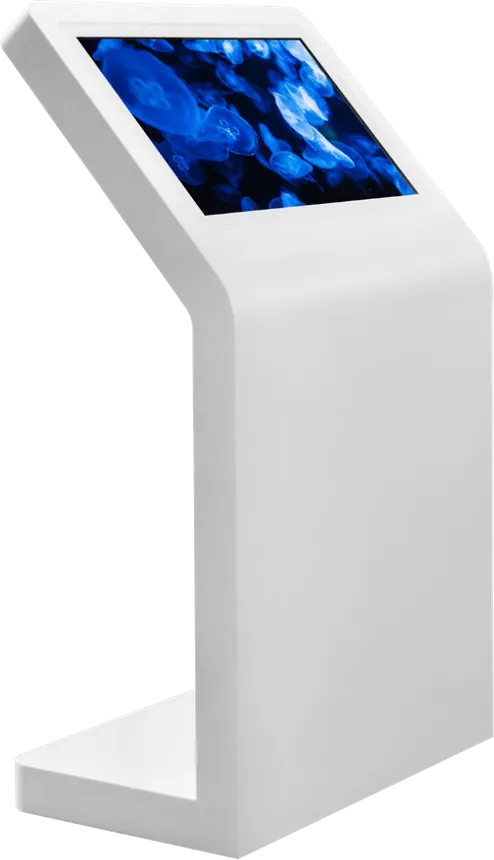
The same product has several names in different markets: digital standee, digital totem, LCD advertising display, advertising player, kiosk display, and in Spanish-speaking markets tótem publicitario. They all describe a portrait screen in a free-standing cabinet. A version with a touch screen becomes an interactive information point; the touch kiosk guide covers that use in more depth.
2. Types and where each one fits
| Type | Catalog model | What the sources state | Typical site |
|---|---|---|---|
| Indoor floor-standing | Indoor floor-standing signage 43″ / 55″ | A-grade panel, 1920 × 1080, 350 cd/m², RK3288 Android or Intel Core Windows, infrared or capacitive touch optional, 105 W (55″) | Malls, lobbies, store entrances, showrooms |
| Folding poster | Digital poster (A-frame) | Ultra-slim poster on a folding stand; USB playlist or network publishing | Shop doors, reception desks, events; moved and stored daily |
| Movable touch screen | 21.5″ rotating portable touch screen | Android 12, 1080 × 1920 IPS, 10-point capacitive touch, 12 V 6000 mAh battery, 360° rotation | Reception, retail counters, exhibitions, video calls |
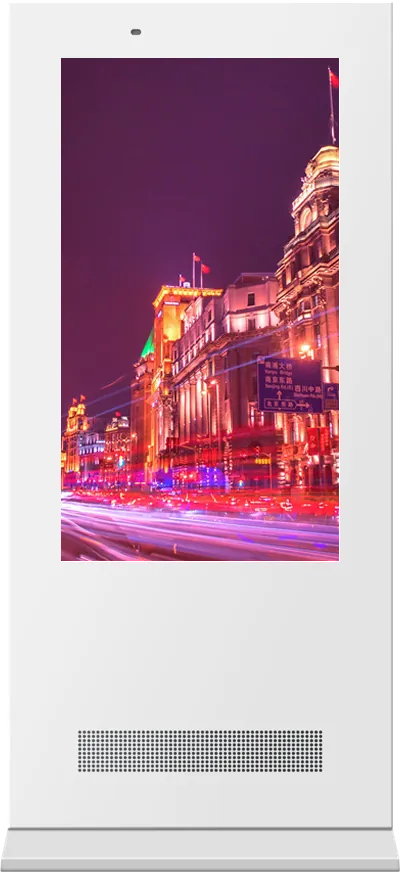
| Outdoor floor-standing | 55″ outdoor floor-standing signage | 1,500 nits with auto brightness, IP55 galvanized cabinet, 6 mm tempered glass, smart cooling and heating, three-stage lightning protection | Streets, parks, campuses, drive-throughs |
| Outdoor battery poster | Battery-powered portable outdoor poster | 32″ / 43″ / 55″; 43″ at 1,800 cd/m²; 50,000 mAh battery, 7 h charge, 14 h runtime; IP55; on wheels | Shop fronts where there is no outdoor socket |
The difference between indoor and outdoor is not only brightness. Outdoor units add sealed doors, a galvanized cabinet, cooling and heating, and lightning protection; an indoor unit placed outdoors, or even in a sunny window, fails or becomes unreadable. The outdoor signage guide covers those choices.
3. 43″ or 55″: choosing the size
Our indoor floor-standing model comes in 43″ and 55″. The figures below are general rules of thumb, not MJK specifications:
- Viewing distance: a common readability rule is about 25 mm of character height per 3 m of viewing distance. In a mall corridor read from 5–10 m, a 55″ screen holds headline text of that size with room for an image; a 43″ screen suits shop entrances and lobbies read from closer.
- Ceiling and surroundings: in a high atrium a 43″ unit can look small; next to a reception desk or a narrow shop door, a 55″ unit can dominate the space.
- Touch: if people will touch the screen, the important content must sit within arm's reach. Plan the layout so buttons stay in the middle and lower part of the portrait screen.
- Transport: a 55″ unit in its crate takes more container space and weighs more. For many sites or upper floors without a lift, check the size of doors and lifts.
4. Panel and brightness
For our indoor floor-standing model the sources state:
- A-grade LED LCD from LG, BOE or CSOT
- 1920 × 1080 resolution at 350 cd/m², 1200:1 contrast
- Panel lifetime of more than 50,000 hours
350 cd/m² is a normal level for indoor signage under shop and mall lighting. A screen behind a shop window that faces the sun needs a high-brightness panel; our outdoor models run at 1,500 nits (floor-standing) and 1,800 cd/m² (43″ battery poster) with automatic dimming so they are not too bright at night. Ask for the panel grade in the quotation: A-grade panels have fewer defective pixels and more even brightness than lower grades.
5. Android or Windows, and touch
| Build | Stated configuration | Choose it when |
|---|---|---|
| Android (standard) | RK3288 Cortex-A17, Mali-T764, 2 GB DDR4, 16 GB, Android 7.1 | The unit plays scheduled video, images and text from a publishing platform; lowest power and cost |
| Windows (option) | Intel Core i3 / i5 / i7, 4 GB DDR3, 128 GB SSD | You run Windows software: a custom interactive program, a store finder, or a CMS player that only exists for Windows |
Touch is an option on the indoor model, as infrared or 10-point capacitive. Infrared works with gloves and on larger screens; capacitive gives a smoother, phone-like feel behind glass. Only add touch when there is something to do on the screen, such as a mall directory, product catalog or survey; a passive advertising screen does not need it. The Android vs Windows guide and the RK3288 vs RK3399 article explain the board choice in detail.
6. Content and publishing software
The indoor model supports network publishing in B/S (browser) or C/S (installed client) form, and offline playback from an SD card or USB stick. Decide:
- Who publishes: one store manager with a USB stick, or a head office updating hundreds of screens. A network platform pays for itself from the second site on.
- Which platform: our publishing software, or your own CMS preinstalled at the factory. Send the CMS player app and the account details before production so we can install and test it.
- Layouts: split-screen templates with video, images and scrolling text; schedules by time of day; different content per store.
- Monitoring: whether you need screenshots or online status from each screen to check it is playing.
The digital signage CMS guide compares the options.
7. Cabinet, base and placement
- Stability: a tall portrait screen must not tip when someone leans on it or a trolley hits it. Ask for the base size and weight, and whether the base can be bolted to the floor in busy places.
- Cables: plan the power socket near the unit; a cable across a walkway is a trip hazard. Wi-Fi or a 4G option avoids a network cable.
- Branding: cabinet color, a logo light box at the top or bottom, and your boot logo are options on the indoor model.
- Ventilation: leave space behind the unit; do not push it against a heater or into a closed niche.
- Power: the 55″ indoor unit is stated at AC 100–240 V, 105 W. Specify the plug type for your market.
- Service access: ask how the player and power supply are reached for maintenance, and keep that side accessible after placement.
The enclosure guide explains sheet-metal, painting and branding choices for custom cabinets.
8. Where floor-standing signage is used
- Shopping malls: corridor advertising and directories; the retail page shows typical layouts.
- Stores and showrooms: offers at the entrance, product videos next to the display shelf.
- Hotels and office lobbies: welcome messages, event schedules and directions; see hotels.
- Restaurants: the menu or the day's offer at the entrance and in the queue; see the digital menu board guide.
- Banks, government halls and hospitals: notices and queue information next to the service counters; see banking and government.
- Exhibitions and events: A-frame posters and movable touch screens that are set up and taken away each day.
9. Specification checklist for your RFQ
| Item | What to specify |
|---|---|
| Site | Indoor, behind a window, or outdoor; photos of the place; viewing distance |
| Type and size | Indoor floor-standing 43″ or 55″, A-frame, movable touch, outdoor, battery |
| Quantity | Units per site and number of sites; sample first or direct order |
| Player | Android or Windows; storage needs for long videos |
| Touch | None, infrared or capacitive; the interactive software it will run |
| Software | Our publishing platform or your CMS preinstalled; offline playback |
| Network | Wi-Fi, Ethernet or 4G |
| Cabinet | Color, logo light box, boot logo, base fixing |
| Power and marks | Voltage, plug type, certification for your market |
| Packing | Carton or wooden crate; delivery to door, port or warehouse |
Send it through the contact page. The certification guide lists the marks by market, and the sourcing guide covers samples, inspection and payment terms. For private-label orders, read OEM vs ODM first.
10. Common mistakes
- Putting an indoor unit in a sunny shop window and expecting it to stay readable.
- Comparing prices without comparing panel grade, brightness and the player configuration.
- Paying for touch on a screen that only plays advertising.
- Choosing a Windows build for simple video playback, which adds cost and power for nothing.
- Ordering screens first and the CMS later, then flashing a new app on every unit by hand.
- Placing the unit where the power cable crosses a walkway.
- Choosing 55″ for a narrow entrance where 43″ would fit the space better.
To see the full range, visit the digital signage and outdoor digital signage categories.
References and standards
Official texts behind the rules mentioned in this guide:
- Directive 2014/30/EU (EMC) — EU electromagnetic compatibility rules
- Directive 2011/65/EU (RoHS) — EU limits on hazardous substances in electronics
Frequently asked questions
What is a digital standee?
It is another name for floor-standing digital signage: a free-standing portrait LCD screen with a built-in media player that plays video, images and text in malls, lobbies and stores. Our indoor model comes in 43″ and 55″.
Can an indoor floor-standing screen be used outdoors?
No. At 350 cd/m² it is not readable in sunlight, and the cabinet is not sealed or cooled for weather. Use an outdoor model: ours run at 1,500 nits (floor-standing) or 1,800 cd/m² (43″ battery poster) in IP55 cabinets.
Android or Windows for floor-standing signage?
Android (RK3288) for scheduled advertising and menus: it uses less power and costs less. Windows (Intel Core i3/i5/i7) when you need to run Windows software, such as a custom interactive program.
Can you preinstall our own CMS?
Yes. Send the CMS player app and account details before production; we install it, test playback and ship the units ready to connect to your platform.