Retail digital signage: a buying guide to in-store screens from the window to the checkout
Short answer: Retail digital signage is the set of screens a store uses to pull people in, guide them to products and sell at the shelf and the till. The right screen depends on where it hangs: a shop window needs brightness, an aisle needs a slim shelf-edge display, a checkout needs a customer-facing screen. Plan it in this order: map the store zones, choose a screen for each, set up one publishing system for every store, then design the content. This guide uses the stated specifications of our signage, bar displays and POS terminals and marks general rules of thumb as such.
- Plan screens by store zone: window, entrance, aisles and shelves, fitting rooms, checkout and the pavement outside. Each zone has its own screen type.
- Our range covers each zone: ceiling-hung double-sided screens for windows, 43″ / 55″ floor-standing and wall-mount signage, stretched bar LCDs for shelf edges, a fitting-room smart mirror, a 15.6″ dual-screen POS and a 1,800-nit battery poster for the pavement.
- Indoor screens at 350 cd/m² suit the shop floor; any screen in direct sun needs an outdoor model of 1,500 nits or more.
- One publishing system for every store, with templates, schedules and store groups, matters more than any single screen.
1. Plan by store zone, not by screen
A store screen has one job: sell a product or help a shopper find it. The job changes from the window to the till, so the hardware does too. Walk through the store and list the zones before choosing models:
- Pavement and shop window: stop passers-by and pull them in.
- Entrance: today's offer, new arrivals, loyalty sign-up.
- Aisles and shelves: product video and prices at the point of decision.
- Fitting rooms and service areas: styling, try-on and product information.
- Checkout: the order total, payment and a last promotion.
The retail solutions page separates store screens from mall screens; this guide goes zone by zone inside the store.
2. Which screen goes in which zone
| Zone | Catalog model | What the sources state |
|---|---|---|
| Pavement outside | Battery outdoor poster | 32″ / 43″ / 55″; 43″ at 1,800 cd/m²; 50,000 mAh battery, about 14 h; IP55; on wheels, rolled in at closing |
| Shop window | Ceiling-hung double-sided display | 43″ 1920 × 1080 or 55″ 3840 × 2160; two screens back-to-back, same or different content; tempered-glass frame; ≤ 80 W |
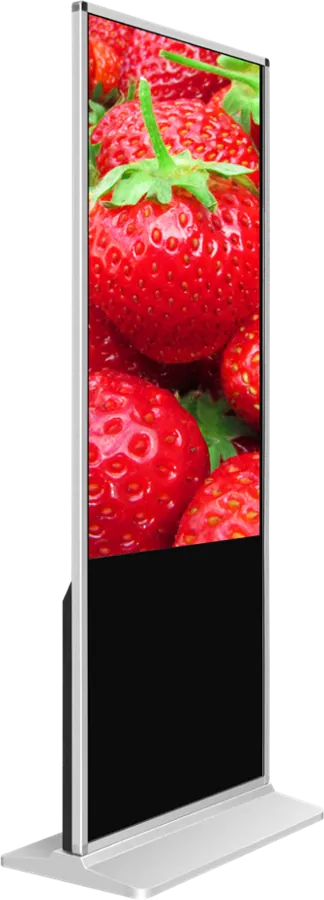
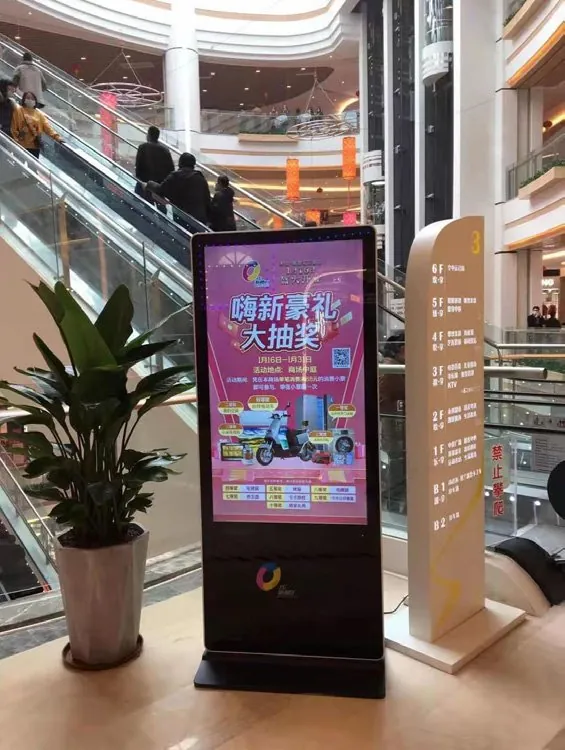
| Entrance | Floor-standing signage or A-frame digital poster | 43″ / 55″ portrait, 350 cd/m², Android or Windows; A-frame folds away at closing |
| Walls and pillars | Wall-mount signage | 55″, 350 cd/m², 55 mm deep, landscape or portrait, capacitive touch frame option |
| Shelf edges and aisles | Stretched bar LCD | Bar format in several lengths; split screen; cloud publishing and scheduling; SD/USB offline playback; 7×24 |
| Fitting rooms | Smart fitting mirror | HD mirror display, 10-point capacitive touch, Android, apparel fitting software |
| Product finder | K-shaped touch kiosk | 10-point touch, Android or Windows; printer, scanner or camera options; catalog software |
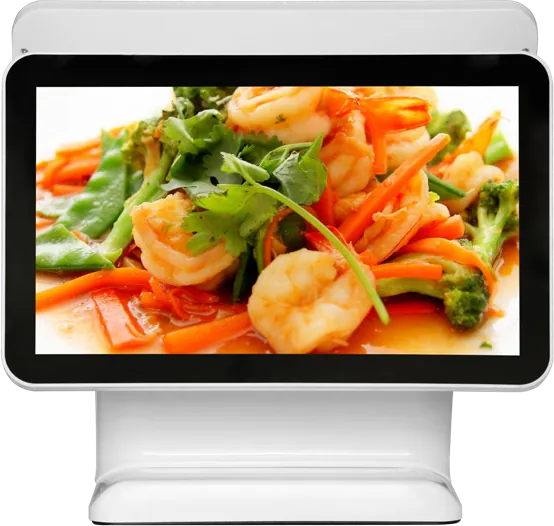
| Checkout | 15.6″ dual-screen POS | Capacitive touch for the cashier; customer display shows totals and ads; Android (RK3288) or Windows (Core i3) |
3. Window and storefront screens
A window screen competes with daylight. Indoor panels at 350 cd/m² wash out behind glass that faces the street in the afternoon; as a general rule, a screen that gets direct sun belongs in the outdoor range. Our outdoor models run at 1,500 nits (55″ floor-standing, IP55) and 1,800 cd/m² (43″ battery poster), with automatic dimming at night.
The ceiling-hung double-sided display is the usual window choice when the window is shaded: one side faces the street, the other the store, and it uses no floor space. Ask for the brightness figure that suits your window orientation. The outdoor signage guide covers brightness, cooling and sealing for screens that stand outside.
4. Aisles and shelf-edge bar displays
The shelf is where shoppers decide, and a screen there has to fit the shelf, not the wall. The stretched bar LCD is a long, narrow display made in several lengths that mounts along a shelf edge, above a display table or in a window. It plays split-screen content, can switch between landscape and portrait layouts, and is built for 7×24 operation with shock, heat and interference resistance.
- Content: one product video and its price, or a row of product tiles; keep text large enough to read from the aisle.
- Publishing: the bar display uses cloud publishing with program scheduling and timed power on/off, so price or promotion changes reach every shelf at once.
- Offline: it keeps playing from an SD card or USB stick if the network is down.
- Power: plan a power route along the shelf; mains sockets at each bay are rarely there by default.
For bigger aisle messages, a wall-mount screen on a pillar or a floor-standing unit at the aisle end does the job.
5. Fitting rooms, product finders and endless aisle
Interactive screens help when the shopper has a question the shelf cannot answer:
- Fitting-room mirror: our smart mirror has an HD mirror display, 10-point capacitive touch and apparel fitting software, in custom sizes and colours; the touch table and smart mirror guide covers it in detail.
- Product finder or catalog kiosk: a K-shaped or upright touch kiosk shows the full range, sizes and stock, and can add a printer or scanner. The touch kiosk guide compares the forms.
- Touch on the wall: the wall-mount model takes an optional capacitive touch frame for a product configurator.
Add touch only where there is something to do; a promotion screen does not need it.
6. The checkout and the customer display
The till is the last screen a shopper sees. Our 15.6″ dual-screen POS terminal gives the cashier a capacitive touch screen and shows the customer the order total during payment and promotions between orders; the side-display model is available with a touch or display-only second screen. The dual-screen POS guide covers peripherals and software. Food and drink retailers can add self-ordering kiosks and digital menu boards.
7. Content and one CMS for every store
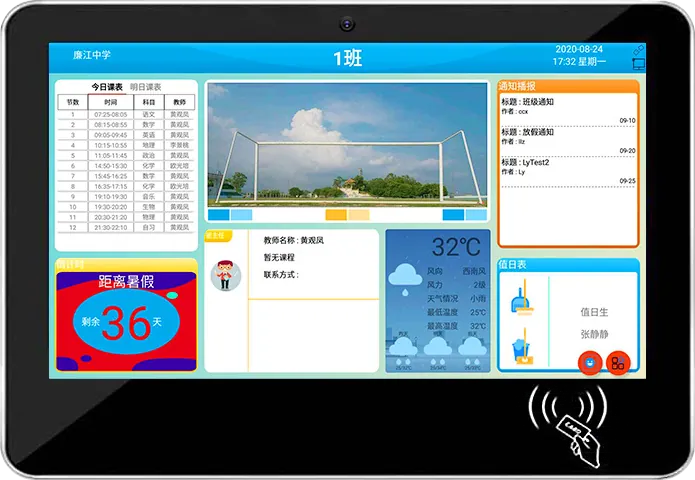
A chain of stores is managed from one console, or not managed at all. Our signage supports B/S (browser) or C/S (client) publishing with split-screen templates, scheduling and offline playback; you can also preinstall your own CMS at the factory. Plan:
- Store groups: by region, format or size, so a promotion goes to the right stores.
- Dayparts and campaigns: start and end dates, so old prices disappear on time.
- Templates: fixed zones for product, price and brand, so stores change content without redesigning screens.
- Proof of play: play logs if suppliers pay for screen time.
As general content rules: one message per screen, product and price large, motion in one zone only, and the same layout across stores. The digital signage CMS guide compares platforms.
8. Rolling out to many stores
- Pilot first: one or two stores for a few weeks, then fix sizes, positions and templates before ordering for the chain.
- Kits per store format: a standard list of screens and mounts for small, medium and flagship stores.
- Branding: housing colour, wood or metal trim and logo light box to match the fit-out; see the enclosure guide.
- Power and network: sockets and data points at each screen position; Wi-Fi or 4G where cabling is not possible.
- Running hours: set screens to switch off after closing; our 55″ floor-standing and wall-mount models are stated at 105 W.
9. Specification checklist for your RFQ
| Item | What to specify |
|---|---|
| Stores | Number of stores and formats; screens per zone in each format |
| Positions | Window, entrance, wall, shelf edge, fitting room, checkout, pavement; size and orientation for each |
| Light | Indoor, shaded window or direct sun for each position |
| Touch | None for promotion screens; capacitive for finders, mirrors and the POS |
| Software | Our publishing system or your CMS preinstalled; store groups; play logs |
| Housing | Colour, trim, logo light box, boot logo |
| Power and network | Mains at each position, Wi-Fi, Ethernet or 4G; plug type |
| Certification | The marks your market requires |
Send it through the contact page. The certification guide lists the marks by market, and the sourcing guide covers samples and inspection.
10. Common mistakes
- One screen model for every zone, so window screens wash out and shelf screens do not fit.
- Buying screens for every store before a pilot store has proved the positions and content.
- No central CMS, so each store manager updates screens by USB stick.
- Old prices left on screen after a campaign ends.
- Touch screens where nobody has a reason to touch.
- No power at the shelf edge, so bar displays need cables across the aisle.
References and standards
Official texts behind the rules mentioned in this guide:
- Directive 2014/30/EU (EMC) — EU electromagnetic compatibility rules
- Directive 2011/65/EU (RoHS) — EU limits on hazardous substances in electronics
Frequently asked questions
What is retail digital signage?
The screens a store uses to attract, inform and sell: window displays, entrance and aisle screens, shelf-edge bar displays, fitting-room mirrors, product finders and customer displays at the checkout, all managed from one publishing system.
Which screen is best for a shop window?
For a shaded window, a ceiling-hung double-sided display shows one side to the street and one to the store. For a window or pavement in direct sun, use an outdoor model: ours run at 1,500 nits (floor-standing) or 1,800 cd/m² (battery poster).
What is a stretched bar display used for in retail?
A long, narrow LCD that mounts along shelf edges, above display tables or in windows. It plays product video and prices, takes cloud scheduling and plays offline from SD or USB if the network is down.
Can all our stores be managed from one system?
Yes. Our signage supports browser or client publishing with templates, schedules and offline playback, and your own CMS can be preinstalled at the factory, so a chain manages every store from one console.