Hospital self-service kiosks: a buying guide to patient check-in, queuing, payment and wayfinding
Short answer: Hospital self-service kiosks let patients register, check in for appointments, take a queue number, pay and find their way without waiting at a counter. They are known by local names: patient kiosks, APM (Anjungan Pasien Mandiri) in Indonesia, инфоматы in Russia, tótems de autoatención in parts of Latin America. Plan them in this order: map the patient journey, choose a terminal for each step, settle the link to the hospital information system, then design for hygiene, accessibility and privacy. This guide uses the stated specifications of our self-service terminals and marks general practice as such.
- Map the patient journey first: arrival and check-in, registration, queue ticket, vitals, payment, report printing, wayfinding. Each step has its own terminal type.
- Our range covers it: bank and government terminals with ID, card and QR modules; queue ticket kiosks with calling displays; a 32″ payment kiosk; upright touch kiosks; an ultrasonic height and weight station; face terminals for entrances.
- The kiosk is only as useful as its link to the hospital information system (HIS); send the interface documents early, because integration is agreed per project.
- Design for patients who are unwell: large type, voice prompts, wheelchair height, cleanable glass, and no patient data stored on the kiosk.
1. What hospital self-service kiosks do
A hospital self-service kiosk is a touch terminal that handles a routine task a patient would otherwise queue for at a counter. In most hospitals and clinics, the same five jobs come up:
- Check-in and registration: identify the patient by ID card, insurance or patient card, or an appointment QR code, then register for a department or confirm an appointment.
- Queue tickets: issue a number and send the patient to the right waiting area, with calling displays above the rooms.
- Payment: pay consultation, test and prescription fees by QR or card, and print a receipt.
- Information and wayfinding: department maps, doctor schedules, opening hours and notices.
- Vital-sign stations: height and weight measured automatically before the consultation.
Together they move routine work away from counters, so staff spend more time on patients who need help.
2. Map the patient journey to terminals
| Step | Catalog model | What the sources state |
|---|---|---|
| Entrance | Desktop face terminal | 2 MP binocular camera with infrared liveness, voice prompts, QR and ID options; listed for school and hospital entrances |
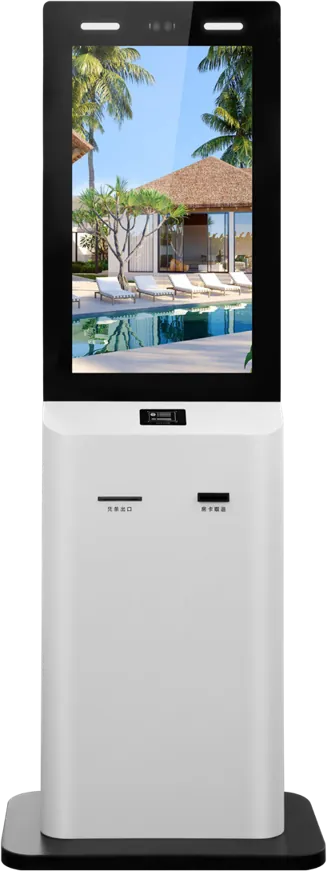
| Registration and check-in | Bank & government terminal | RK3288 or RK3399; biometric and ID-card modules, bank-card slot, receipt outlet, QR scanner; dual-screen; supports an 8 MP USB camera; multilingual UI |
| Registration with ID check | 21.5″ dual-screen terminal | 10-point capacitive touch, ID card reader, 2 MP face camera, card swipe and printing, Android + Windows |
| Queue ticket | Queue ticket kiosk | Infrared touch, industrial Intel dual-core board, Windows; ticket printing with calling-system integration; listed for hospitals and clinics |
| Vital signs | Ultrasonic height & weight station | Automatic height and weight without calibration, 8″ touch screen, voice readout, IC/ID card, Android, data upload |
| Payment | 32″ payment kiosk | RK3399, Android 8.0; QR payment, card reader/writer, thermal printer, 2D barcode engine, 5 MP camera, PIR wake sensor |
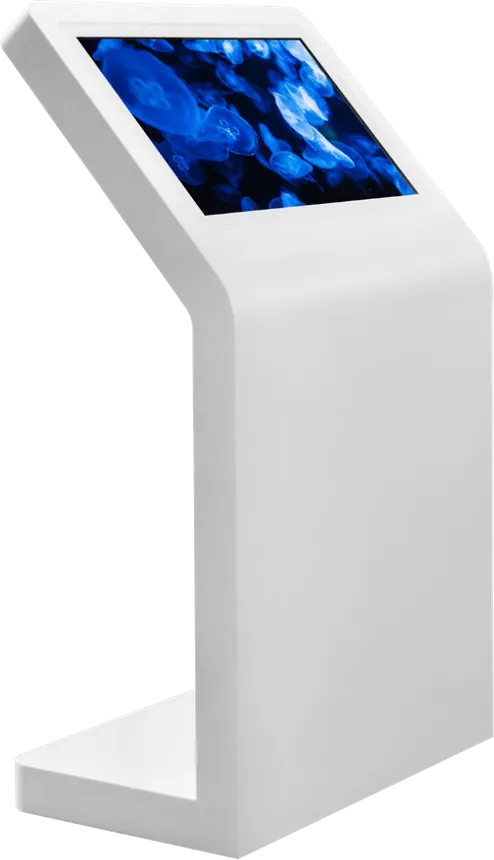
| Wayfinding and information | Upright touch kiosk | 10-point touch, Android or Windows, Wi-Fi, Ethernet, 4G; listed for hospital corridors and wards |
| Waiting areas | Wall-mount digital signage | Queue numbers, health information and notices on scheduled content |
A small clinic may need only a queue kiosk and one combined check-in and payment terminal; a large hospital usually places registration terminals in the main hall, queue kiosks at each department and payment kiosks near the pharmacy and laboratory.
3. Check-in and registration terminals
Identification decides the modules. Tell us which documents your patients carry:
- National ID card: an ID card reader, as on the dual-screen terminal and the bank and government terminal.
- Insurance or hospital card: a card reader matched to the card standard; the bank and government terminal has a card slot, and the payment kiosk has a card reader/writer.
- Appointment QR code: a QR scanner, standard on several of our terminals.
- Face verification: a camera; the dual-screen terminal has a 2 MP face camera and the bank and government terminal supports an 8 MP USB camera. Use face data only as local rules allow.
The second screen on dual-screen models can show instructions, a privacy notice or a staff view. The Android vs Windows guide helps decide the operating system if your registration software already exists.
4. Queue tickets and calling displays
A queue system is the fastest win in a busy outpatient hall. The queue ticket kiosk prints a number for the selected department, calling displays above the consultation rooms show the next number, and voice announcements call it. Our queue kiosk uses infrared touch behind explosion-proof tempered glass, an industrial Intel dual-core board and Windows, and connects to the calling system. The queue management guide explains calling displays, counter callers and sizing in detail.
Wall-mount screens in waiting areas can combine the queue numbers with health information; see the digital signage CMS guide for scheduling that content.
5. Payment and receipts
Payment kiosks shorten the second queue patients meet, at the cashier. Our 32″ payment kiosk has QR payment, a card reader/writer, a thermal receipt printer and a 2D barcode engine for scanning prescription or bill codes. Bank cards, as general practice, run through a payment terminal certified for your market and connected to your acquirer; the bank and government terminal has a bank-card slot for it. If you need A4 report printing or cash acceptance, raise it at the start: neither is part of the stated configurations, and both change the cabinet. The payment kiosk guide covers payment methods, reconciliation and security.
6. Vital-sign stations and wayfinding
The ultrasonic height and weight station measures automatically with an imported ultrasonic probe, needs no calibration or staff, reads the result aloud and can upload data to your health system after identifying the patient by IC or ID card. It suits clinics, community health centres and pharmacies.
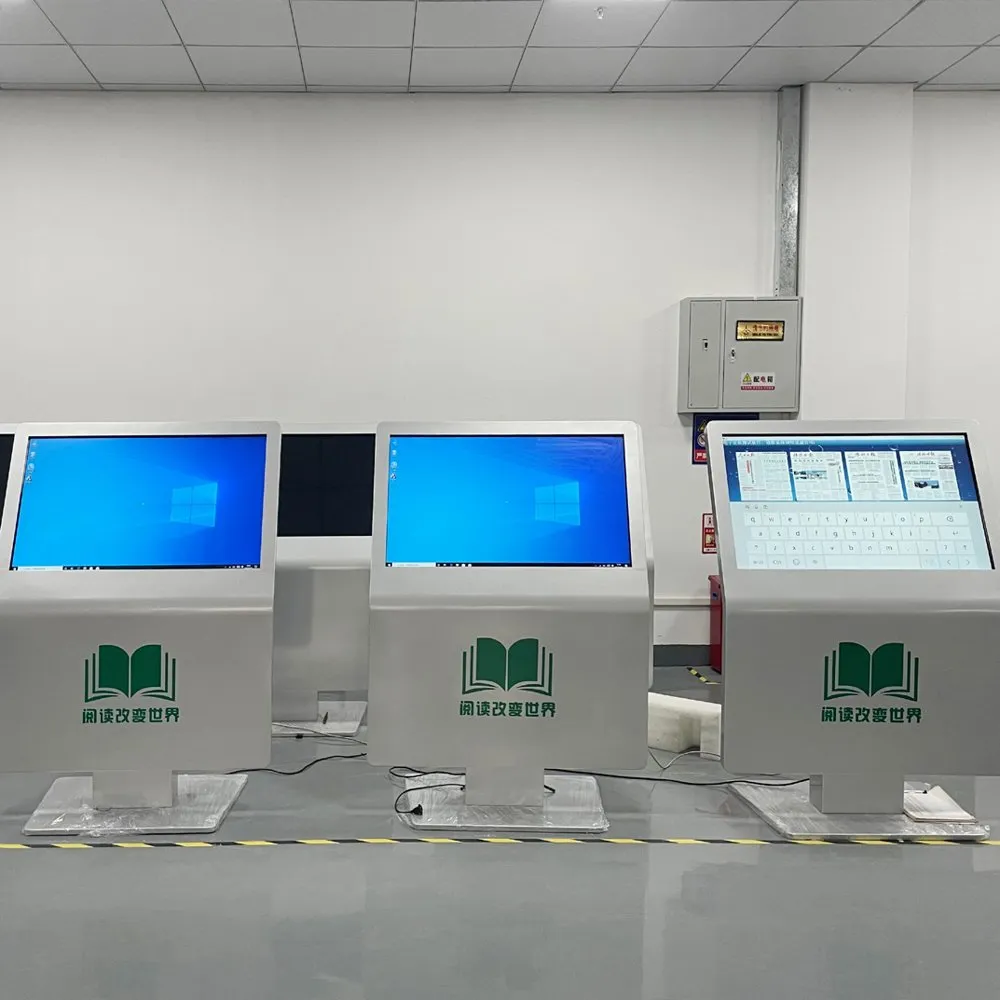
For wayfinding, an upright or K-shaped touch kiosk at each entrance and lift lobby shows department maps, doctor schedules and notices. The touch kiosk guide compares the forms, and a floor-standing signage unit suits notices that need no touch.
7. Integration with the hospital information system
Every useful kiosk task reads from or writes to the hospital information system (HIS): patient lookup, appointment slots, queue numbers, fees and payment status. Agree early:
- Who writes the kiosk application: the HIS vendor, your integrator, or a project agreed with us.
- The interface: send the HIS interface documents with your inquiry; integration is confirmed per project.
- Real-time updates: registration and payment must update the HIS at once, so the doctor and pharmacy see them.
- Remote management: the bank and government terminal lists OTA updates, scheduled power on/off and remote monitoring; ask for alerts for paper, module faults and network loss.
8. Hygiene, accessibility and privacy
- Cleaning: our terminals use tempered glass fronts and steel cabinets. As general practice, ask that the glass, coatings and seals suit the disinfectants your hospital uses.
- Accessibility: place screens and card slots at a height a wheelchair user can reach, use large type and high contrast, and add voice prompts; the queue kiosk has dual-channel audio and the height and weight station reads results aloud.
- Languages: the bank and government terminal has a multilingual UI, useful for hospitals serving visitors and migrant communities.
- Privacy: as general practice, keep patient data in the HIS rather than on the kiosk, show personal data only after identification, return to the start screen after a short timeout, and follow your local health-data rules for cameras and face data.
The enclosure guide explains cabinet materials and finishes, and the face recognition guide covers entrance terminals.
9. Specification checklist for your RFQ
| Item | What to specify |
|---|---|
| Tasks | Check-in, registration, queue tickets, payment, report printing, wayfinding, vitals |
| Sites | Halls, departments and floors; expected patients per hour at peak |
| Identification | ID card, insurance or hospital card, appointment QR, face |
| Payment | QR wallets, bank cards, prepaid cards; who supplies and certifies the payment terminal |
| Printing | Receipts, queue tickets, A4 reports |
| Software | HIS vendor and interface documents; Android or Windows; languages |
| Accessibility | Wheelchair height, voice prompts, large-type mode |
| Management | Remote monitoring, alerts, OTA updates, on/off schedule |
| Branding and certification | Cabinet colour and signage; the marks your market requires |
Send it through the contact page. The certification guide lists marks by market, the OEM kiosk cost breakdown shows what drives the price, and public-sector buyers can also see banks and government halls.
10. Common mistakes
- Buying kiosks before the HIS vendor has agreed to the interface.
- One kiosk type for every task, so patients queue at the kiosk instead of the counter.
- Screens and card slots too high for wheelchair users.
- Patient data left on screen after the patient walks away.
- No staff nearby for the first weeks, so first-time users give up.
- No paper or offline alerts, so a kiosk stands out of service during the morning peak.
References and standards
Official texts behind the rules mentioned in this guide:
- Regulation (EU) 2016/679 (GDPR) — EU rules on personal data, including face images and ID scans
- U.S. Access Board — ADA operable parts — US accessibility rules for reach ranges and operable parts
Frequently asked questions
What does a hospital self-service kiosk do?
It handles routine counter tasks: patient check-in and registration, queue tickets, payment and receipts, wayfinding and information, and vital signs such as height and weight. Each task usually has its own terminal type.
Can the kiosk connect to our hospital information system (HIS)?
Yes. The kiosk application reads and writes patient, appointment, queue and payment data through your HIS interface. Send the interface documents with your inquiry; the integration is agreed per project with your HIS vendor or integrator.
Which identification methods can a hospital kiosk support?
Our terminals offer ID card readers, card readers for insurance or hospital cards, QR scanners for appointment codes and cameras for face verification. Choose the modules from the documents your patients actually carry.
Can patients pay at the kiosk?
Yes. Our 32″ payment kiosk takes QR payments, reads and writes prepaid cards and prints receipts. Bank cards run through a certified payment terminal connected to your acquirer; cash and A4 printing are handled as project options.